 Skip to content

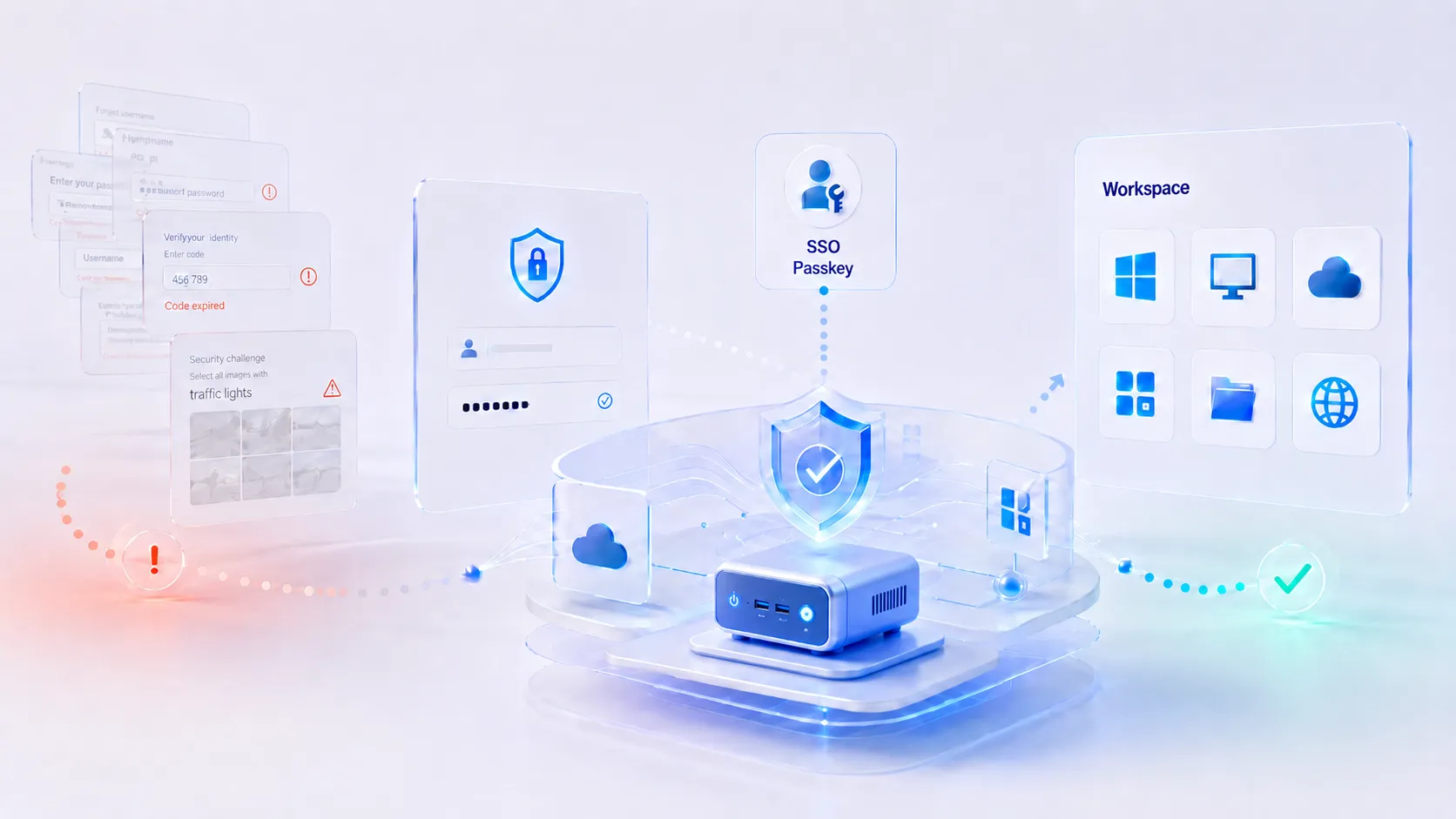
The modern workday increasingly begins with a security challenge.
Enter a password. Approve a notification. Retrieve a one-time code. Unlock the authenticator app. Wait for the virtual desktop. Try again. Call the help desk.
Each step may appear reasonable in isolation. Together, they create authentication friction: the time, effort, and interruption employees experience while proving they are authorized to work.
For most companies, authentication friction is not measured as downtime. The network is technically available. The application is technically running. The employee is technically at work.
They simply cannot get where they need to go quickly enough.
That makes authentication friction an unusually difficult business cost to see. It rarely appears as one major outage. It arrives as thousands of small delays scattered across the workday—and eventually absorbed into payroll, support costs, customer wait times, clinical workflows, production schedules, and employee frustration.
What Authentication Friction Costs Companies
Microsoft offered an unusually candid view of this cost when it described its own transition away from passwords. Before deploying passwordless authentication internally, the company estimated that password support was costing it $3 million per year in direct costs and another $6 million in lost productivity.
That is a $9 million authentication problem inside one organization.
Microsoft is exceptionally large, but the underlying arithmetic applies to companies of almost any size.
Consider an illustrative organization with 1,000 employees. If each person loses only five minutes per working day to repeated authentication, forgotten credentials, slow session launches, account recovery, or access troubleshooting, the company loses approximately:
18,333 working hours per year
At a fully loaded labor cost of $45 per hour, that represents roughly:
$825,000 in annual productivity capacity
This is not an industry benchmark or a promise of savings. It is simply the result of five minutes of friction multiplied across a workforce.
And five minutes may be conservative in environments where employees use shared workstations, move between locations, reconnect to virtual sessions, authenticate to several applications, or begin every shift with a tightly controlled access sequence.
The larger point is that companies should stop evaluating authentication only by asking whether it blocked unauthorized access. They should also ask how much authorized work it delayed.
In Some Workflows, Seconds Have Measurable Value
Authentication friction is especially costly in healthcare, financial services, contact centers, manufacturing, logistics, retail, education, and government—environments where users share endpoints, work in shifts, serve waiting customers, or move repeatedly between workstations.
The healthcare sector offers one of the clearest documented examples.
A peer-reviewed study of single sign-on across 19 hospitals measured the effect of reducing electronic health record login time for nurses. First-of-shift login time fell by 15.3%, while reconnection time fell by 69.9%.
Across the 19 facilities, single sign-on liberated approximately 27,962 hours of nursing time per year, valued by the researchers at about $990,000 annually.
The lesson extends beyond healthcare. A few seconds saved on one login may seem immaterial. A few seconds saved across repeated logins, hundreds of users, multiple shifts, and an entire year can become a material operating gain.
The cost becomes even greater when access failure stops a workflow completely.
- A clinician waits to open a patient record.
- A call center agent starts a shift late.
- A branch employee keeps a customer waiting.
- A production worker cannot reach the next application.
- A new employee cannot access the systems required for onboarding.
- An IT technician spends time resetting an account instead of resolving a higher-value issue.
Authentication is not a separate activity from work. In digital organizations, it is part of the production process.
The Security Paradox
Companies cannot solve authentication friction by weakening security.
Identity remains one of the most important enterprise attack surfaces. Verizon’s 2026 Data Breach Investigations Report says the human element was present in 62% of breaches, with social engineering, phishing, and stolen credentials continuing to play major roles.
The financial exposure is equally difficult to ignore. IBM’s 2026 Cost of a Data Breach Report places the global average cost of a breach at $4.99 million, a 12% increase from the previous year.
The answer, therefore, is not fewer security controls. It is better-designed security.
Poor authentication design can become counterproductive. Repeated prompts create MFA fatigue. Complicated password rules encourage predictable patterns. Frequent lockouts increase recovery requests. Inconsistent login experiences lead users to write credentials down, keep sessions open, share access, or find unofficial workarounds.
Security friction does not merely inconvenience the workforce. At its worst, it trains employees to work around security.
The better objective is not “frictionless” access in every circumstance. Some friction is intentional and appropriate when risk is high. The objective is low-friction authentication that applies the right level of assurance at the right moment.
That may mean single sign-on for routine access, stronger step-up authentication for sensitive activity, badge-based access at shared workstations, phishing-resistant passkeys, smart cards in regulated environments, or conditional access that responds to device posture, user identity, location, and risk.
The right mechanism depends on the job.
Passwordless Is Advancing, but It Is Not a Magic Switch
The identity industry is already moving in this direction.
According to the FIDO Alliance’s State of Passkeys 2026 report, 68% of surveyed organizations with at least 500 employees were deploying, piloting, or rolling out passkeys for workforce authentication.
That is a significant change. Passkeys and other phishing-resistant methods can remove much of the burden associated with remembering, entering, rotating, and recovering passwords.
But replacing passwords does not automatically repair the access experience.
Organizations must still account for:
- Shared and fixed-function workstations
- Legacy applications
- Virtual desktop clients
- Account recovery
- Lost authenticators
- Badge and smart-card readers
- Peripheral compatibility
- Remote and temporary workers
- Fast user switching
- Session roaming
- Kiosk environments
- Different risk levels across roles
A passwordless identity system connected to a poorly matched endpoint can still produce a frustrating workflow.
The identity mechanism is only one part of the access chain.
The Endpoint Is Often the Missing Part of the Conversation
Most authentication projects begin at the identity provider. Teams evaluate MFA, passkeys, biometrics, conditional access, single sign-on, and access policies.
Those are essential decisions, but users do not experience the identity provider by itself. They experience the complete path between arriving at a workstation and reaching their application:
- The endpoint starts.
- The operating system loads.
- The device recognizes the authentication mechanism.
- The VDI, DaaS, browser, or cloud client launches.
- The identity provider validates the user.
- The session opens or reconnects.
- The required peripherals become available.
- The user begins working.
Every layer can introduce friction.
An aging PC may take too long to boot. A full desktop OS may add unnecessary local processes, patches, prompts, and configuration variance. The wrong thin client OS may not support a required badge reader or authentication client. An underpowered endpoint may launch the session slowly. A poorly configured management profile may create inconsistent behavior from one location to another.
This is why thin clients must be evaluated as part of the complete EUC stack, not purchased as isolated pieces of hardware.
Where Thin Clients Can Reduce Access Friction
A thin client does not eliminate authentication friction simply because it is a thin client.
The benefit comes from designing a simpler, more predictable endpoint around the user’s actual access requirements.
A purpose-built endpoint can be configured to boot directly into Citrix, Omnissa Horizon, Azure Virtual Desktop, Windows 365, a secure browser, or another controlled workspace. It does not need to expose users to a complete general-purpose PC environment before they reach the system where work actually occurs.
With the right thin client hardware, organizations can standardize performance, display support, network connectivity, authentication peripherals, and session behavior across the workforce.
This creates several opportunities to reduce access friction:
- Faster access to the workspace.
The endpoint can be optimized around a specific virtual desktop, cloud workspace, published application, or browser workflow. - More consistent authentication.
Users encounter the same process at every managed endpoint instead of different local configurations, driver versions, and login paths. - Better support for shared stations.
Users can authenticate, reconnect to an existing session, complete a task, and release the workstation for the next person. - Less local complexity.
A lightweight endpoint environment can remove unnecessary applications, services, notifications, and user-controlled changes. - Centralized correction.
Authentication profiles, certificates, connection settings, updates, and policies can be changed across the fleet instead of workstation by workstation.
The endpoint becomes a controlled doorway into the workspace rather than another workspace that must be maintained in parallel.
The Operating System Determines How Smoothly That Door Opens
The device itself is only the beginning.
The thin client operating system determines how the endpoint boots, connects, authenticates, handles certificates, recognizes peripherals, launches virtual desktop clients, and responds when users change locations or sessions.
For some organizations, a secure Linux-based thin client OS provides the strongest combination of simplicity, centralized control, lower local exposure, and hardware flexibility.
Other environments may require Windows IoT because an authentication agent, local application, driver, or specialized peripheral depends on Windows.
The correct choice depends on the workflow—not on a general belief that one operating system is always more secure or more capable than another.
An effective OS evaluation should test the entire sign-in process:
- Initial login
- MFA or passwordless authentication
- Badge or smart-card recognition
- VDI session launch
- Session reconnect
- User switching
- Lock and timeout behavior
- Certificate renewal
- Peripheral redirection
- Account recovery
- Failure behavior when the network is unavailable
It should also test those workflows with real users. Authentication that succeeds in a lab may still be too slow, confusing, or unreliable during a shift change or busy customer period.
Centralized Management Turns a Good Login into a Repeatable One
A successful authentication experience on one device is not yet an endpoint strategy.
It must remain consistent across departments, branches, clinics, offices, classrooms, warehouses, remote sites, and replacement devices. That requires a thin client management system capable of applying profiles, policies, certificates, software updates, and connection settings at scale.
Centralized management helps IT avoid the configuration drift that often recreates access friction over time.
Instead of discovering that one location has an outdated VDI client, another has a missing certificate, and a third uses a different timeout policy, administrators can maintain a controlled baseline while still applying role- or site-specific configurations where needed.
The result is not only easier management. It is a more predictable user experience.
The Best Access Mechanism Depends on the Role
There is no universal “best” authentication method.
A knowledge worker with an assigned desk may benefit from Windows Hello, a passkey, or integrated single sign-on.
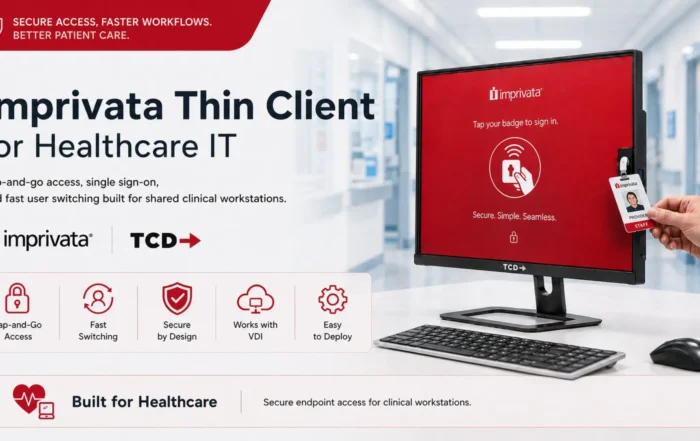
A clinician moving among shared stations may need badge-based Tap-and-Go access with session roaming.
A government employee may require a smart card and a compliant, tightly controlled endpoint.
A call center agent may need a rapid shift login that opens a standardized desktop with minimal local interaction.
A warehouse or manufacturing worker may need a rugged endpoint, a badge reader, a touchscreen, and access to one browser or virtual application. For these environments, the TCD i Series industrial thin client can support the physical connectivity and centralized access model that ordinary office endpoints may lack.
The correct architecture begins with observation:
- How often does the user authenticate?
- Do they move between stations?
- What happens when they reconnect?
- Which applications open first?
- Which peripherals are essential?
- What does a failed login interrupt?
- What recovery path is available?
- How much local functionality is actually needed?
Only after answering those questions should an organization select the device, OS, and authentication mechanism.
TCD’s overview of enterprise thin client use cases illustrates why healthcare, banking, government, education, call centers, and manufacturing frequently need different endpoint and access designs even when they use the same VDI platform.
Repurposing Can Be Part of the Answer
Reducing access friction does not necessarily require replacing every existing PC.
Where hardware remains reliable and compatible, organizations may be able to repurpose desktops by converting PCs into centrally managed thin clients. A lightweight endpoint OS can replace the traditional desktop environment while preserving the existing hardware investment.
This can be useful when a company wants to pilot a standardized login experience, extend a refresh cycle, or transition to VDI in phases.
However, repurposing should be based on testing rather than ideology. Existing hardware must still support the required display configuration, authentication peripherals, unified communications, security features, and expected session performance.
When it does not, purpose-built hardware may provide a more predictable result.
What ThinClient Direct Brings to the Authentication Conversation
ThinClient Direct does not replace an organization’s identity provider or dictate one authentication vendor.
Our role is to ensure that the endpoint layer supports the access experience the organization is trying to create.
That means helping IT teams align:
- Thin client or repurposed hardware
- Linux-based thin client OS or Windows IoT
- Centralized endpoint management
- Citrix, Omnissa Horizon, Azure Virtual Desktop, Windows 365, RDP, secure browser, or other workspace platforms
- SSO, MFA, passkeys, badges, smart cards, proximity cards, and other access mechanisms
- Session launch and roaming behavior
- Printers, scanners, cameras, headsets, badge readers, and specialized USB devices
For Citrix environments specifically, TCD’s guidance on combining thin client endpoints with the right OS and Citrix access configuration shows why the endpoint, workspace client, management platform, and authentication workflow must be evaluated together.
Our broader platform and operating-system compatibility approach allows customers to select the hardware, OS, and access tools that fit the environment instead of being forced into one vendor’s stack.
The objective is not to add another layer of technology. It is to remove the unnecessary effort between the user and the work.
Authentication Should Be Measured as a Business Workflow
Companies already measure application availability, ticket volume, breach risk, and infrastructure cost.
They should also measure:
- Average time from arriving at an endpoint to beginning work
- First-login and reconnection times
- Authentication attempts per user per shift
- Account lockouts and resets
- Authentication-related help desk tickets
- Time spent recovering access
- Failed badge, smart-card, or MFA events
- Differences among locations and user groups
- Time saved after access changes
- User-reported access frustration
These measurements turn authentication friction from an anecdotal complaint into an operational metric.
They also prevent organizations from declaring success simply because a security tool was deployed. The real test is whether authorized users can begin work faster, whether support demand falls, and whether security remains strong.
Security and Productivity Should Reinforce Each Other
Authentication friction is not an argument against MFA, conditional access, Zero Trust, or stronger identity controls.
It is an argument for implementing them properly.
A secure access strategy should make the approved path easier than the workaround. It should recognize that a clinician, call center agent, branch employee, task worker, engineer, and remote knowledge worker may require different access experiences.
Thin clients, the right endpoint OS, centralized management, and carefully selected access mechanisms can help companies build those experiences.
The result is not authentication with no controls. It is authentication with less wasted effort, fewer inconsistencies, and a clearer connection between security and the way employees actually work.
For companies that have accepted login delays, password resets, repeated prompts, and session failures as an unavoidable cost of doing business, the first step is to measure them.
The second is to redesign the endpoint around the workflow.
ThinClient Direct can help organizations evaluate the complete access chain—from endpoint hardware and operating system to VDI platform, authentication method, management model, and required peripherals.
Discuss your endpoint and access workflow with ThinClient Direct.