 Skip to content

Manufacturers often replace endpoints the same way they deployed them: one industrial PC at a time. A device reaches the end of its life, a newer PC takes its place, and the cycle begins again.
That approach may be appropriate when the device performs machine control, machine vision, real-time analytics, or another demanding workload locally. But many endpoints on a production floor serve a much simpler purpose. They connect operators to centrally hosted applications, virtual desktops, production instructions, dashboards, and business systems.
When the work already runs in a data center or the cloud, the endpoint doesn’t always need to remain a complex, general-purpose PC. Manufacturers can rethink the entire endpoint layer: hardware, operating system, centralized management, peripheral support, and replacement strategy.
ThinClient Direct and RangeeOS provide a practical way to make that change.
The Manufacturing Endpoint Has a Different Job Now
Production-floor and warehouse workstations may provide access to:
- Manufacturing execution systems
- ERP and inventory applications
- Production instructions and digital work orders
- Quality-control applications
- Microsoft Remote Desktop Services
- Citrix or Omnissa Horizon environments
- Azure Virtual Desktop or Windows 365
- Browser-based dashboards and applications
- Scanning, labeling, and workflow systems
In these scenarios, applications and data remain centralized while the endpoint handles the user interface, authentication, display, network connection, and required peripherals. Microsoft describes the same basic model for Remote Desktop Services: processing is centralized in the data center while the interface is delivered remotely to the user.
This changes the starting question. Instead of asking, “Which industrial PC should replace this one?” manufacturers should ask:
What does this endpoint actually need to do, and what is the simplest reliable way to deliver it?
For a broader comparison of workloads that do and do not fit this model, see TCD’s guide to industrial thin clients.
Manufacturing Needs More Than a Rugged Box
The physical device still matters. Manufacturing and logistics environments may require fanless operation, a durable enclosure, compact mounting, continuous use, multiple network interfaces, serial connectivity, and support for specialized peripherals.
But rugged hardware alone does not solve the endpoint-management problem.
A manufacturer may operate hundreds of workstations across production lines, warehouses, distribution centers, laboratories, and remote facilities. When each device has its own local applications, settings, updates, and support requirements, the operational burden grows quickly.
A modern manufacturing endpoint strategy should bring together four elements:
- Hardware suited to the physical environment
- A controlled operating system designed around the workstation’s purpose
- Centralized configuration and lifecycle management
- Tested compatibility with applications, networks, displays, and peripherals
That combination—not the device alone—creates a manageable manufacturing endpoint.
Purpose-Built TCD Hardware for Industrial Environments
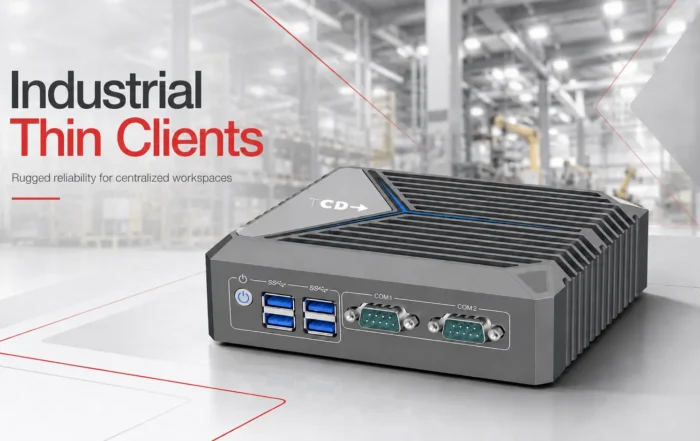
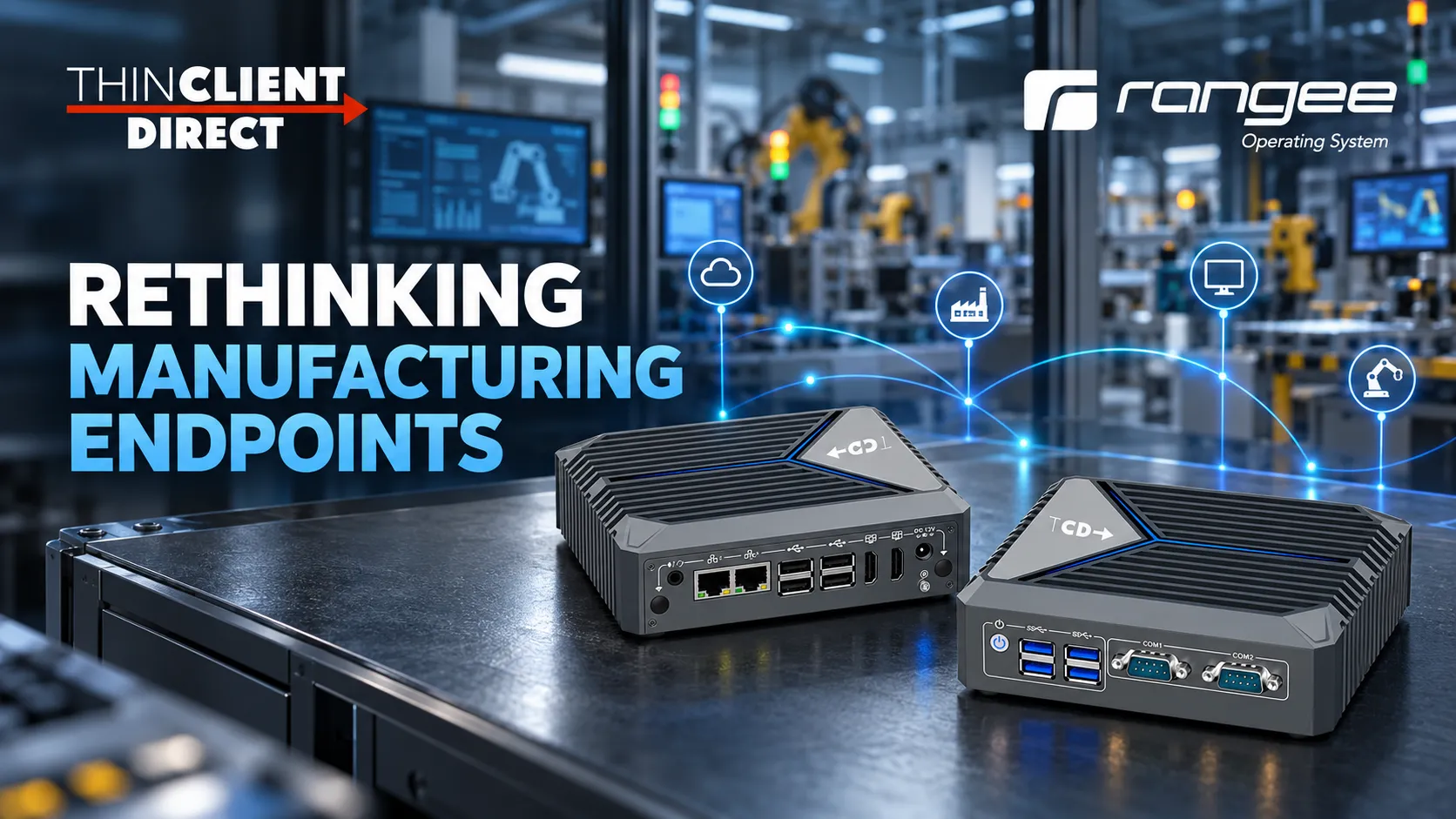
The TCD i Series is designed for manufacturing, automation, warehousing, and other settings where conventional office endpoints may not be appropriate.
Its fanless aluminum chassis removes the mechanical cooling fan, reducing a common point of failure and limiting the amount of dust drawn through the device. TCD’s overview of fanless endpoints explains why passive cooling can be especially valuable in fixed-purpose and extended-shift environments.
The TCD i Series also provides connectivity frequently needed on production floors:
- Dual Gigabit Ethernet
- Dual configurable RS232/RS485 COM ports
- Eight USB ports
- Dual 4K display outputs
- Optional Wi-Fi, Bluetooth, and 4G
- TPM 2.0
- Flexible storage and expansion options
- VESA and industrial mounting options
These features make it suitable for operator stations, warehouse terminals, monitoring consoles, ERP workstations, production dashboards, and other fixed-purpose installations.
The objective, however, is not to place industrial hardware everywhere. Some workloads require a powerful industrial PC; others only require a dependable connection to a centralized application. TCD helps customers distinguish between the two before choosing the device.
RangeeOS Turns the Device into a Purpose-Built Endpoint
RangeeOS is a Linux-based thin client operating system for accessing remote and cloud desktops. Its lean hardware requirements let it run on a broad range of compatible x86 hardware, and endpoints can integrate with the Rangee Thin Client Management Server for centralized updates and group configuration.
Instead of treating every workstation as a general-purpose computer, RangeeOS can be configured around the task the operator needs to perform. Depending on the environment, the endpoint may launch directly into:
- Microsoft RDP or RDS
- Citrix Workspace
- Omnissa Horizon through Blast or PCoIP
- Azure Virtual Desktop or Windows 365
- Nutanix Frame or Dizzion
- Amazon WorkSpaces
- A browser-based manufacturing application
- A defined set of authorized connections
This can provide operators with a more consistent experience while reducing unnecessary local applications and configuration. TCD’s thin client software platform brings the operating system, connection clients, policies, updates, and hardware requirements together as one endpoint design.
Centralized Management Across Plants and Production Sites
The operational advantage grows when RangeeOS endpoints are managed through Rangee TCMS.
Rather than configuring and maintaining each workstation independently, IT teams can administer compatible endpoints across production lines, warehouses, and distributed facilities from a central management environment. This can include:
- Standardized device configurations
- Connection profiles
- Group-based policies
- Operating-system and client updates
- User-interface restrictions
- Remote assistance and troubleshooting
- Device inventory
- Monitoring and reporting
- Simplified deployment of replacement endpoints
Endpoints can be grouped by plant, production line, department, workstation type, or application. IT can then apply the appropriate configuration to the group instead of repeating the same work at every station.
For manufacturers with limited IT coverage at individual facilities, this can reduce routine site visits and make replacement endpoints faster to deploy. TCD provides more detail on this approach in its overview of centralized thin client management.
Connecting Legacy Equipment to a Modern Endpoint Strategy
Manufacturing environments rarely consist entirely of new equipment. Serial devices, scanners, label printers, touchscreens, USB peripherals, gateways, and specialized machinery may remain in service for years.
A successful modernization plan must account for these systems rather than assume they will disappear.
The TCD i Series provides native COM and USB connectivity, while RangeeOS supplies the controlled software layer used to access centralized applications and desktops. This combination can help bridge established production equipment with a more standardized endpoint environment.
Physical connectivity is only the beginning, however. A USB or serial port does not guarantee that every driver, redirection method, protocol, or application workflow will work correctly. A proof of concept should therefore include the customer’s actual:
- Scanners and label printers
- Serial and USB equipment
- Displays and touchscreens
- Authentication process
- Virtual or remote applications
- Network configuration
- Management policies
- Operator workflow
The endpoint should be proven in the real operating environment—not approved only from a specification sheet.
Modernization Does Not Always Require Immediate Hardware Replacement
Some manufacturers already have reliable x86 PCs or thin clients installed across their facilities. Where that hardware still meets the workload and environmental requirements, RangeeOS may allow it to be repurposed as a centrally managed endpoint.
This makes it possible to standardize the software and management layer before replacing the entire fleet. New TCD hardware can then be introduced where existing equipment has reached end of life, lacks the necessary ports, or is unsuitable for the physical environment.
A phased strategy may look like this:
- Assess and qualify existing devices
- Repurpose compatible hardware with RangeeOS
- Bring the endpoints under centralized management
- Introduce TCD industrial hardware where required
- Replace remaining devices according to operational priorities
TCD’s desktop repurposing approach is built around this assessment-first model. It can reduce unnecessary replacement costs while supporting a more consistent endpoint environment and a longer endpoint lifecycle.
Security Must Be Part of the Architecture
A purpose-built thin client can reduce local complexity and limit local data exposure, but it does not secure an industrial or operational-technology environment on its own.
A complete design must also address:
- Identity and authentication
- User and device authorization
- IT and OT network segmentation
- Peripheral and USB policies
- Application control
- Secure remote access
- Logging and monitoring
- Patch and change management
- Backup, recovery, and continuity procedures
The NIST Guide to Operational Technology Security emphasizes that OT protection must account for unique performance, reliability, and safety requirements. That is especially important when an endpoint is located near production equipment or used to access operational systems.
Dual-network connectivity can support structured IT and OT designs, but the organization’s security, networking, and operational teams must develop and validate the architectures.
The Endpoint Must Match the Workload
Not every manufacturing computer should become a thin client.
A full industrial PC or specialized controller may remain the correct choice when the endpoint must:
- Control machinery directly
- Run independently through a network outage
- Perform machine-vision processing
- Conduct real-time analytics or AI inference
- Host demanding applications locally
- Meet specialized environmental or regulatory requirements
A TCD and RangeeOS endpoint is strongest when its main role is to provide reliable access to centrally delivered applications, desktops, dashboards, or browser-based systems.
The decision should start with the workload, operating conditions, peripherals, network dependency, and continuity requirements—not a predetermined hardware type.
A Better Model for Manufacturing Endpoints
Manufacturing endpoint modernization is not simply a hardware refresh. It is an opportunity to create an endpoint environment that is easier to standardize, manage, troubleshoot, secure, and evolve.
ThinClient Direct can bring together:
- Purpose-built industrial endpoint hardware
- RangeeOS
- Rangee TCMS centralized management
- Repurposing of qualified existing devices
- VDI and remote-application expertise
- Peripheral and compatibility testing
- Project-specific configuration
- Proof-of-concept validation
- Flexible rollout and replacement planning
Together, TCD and Rangee offer an alternative to maintaining fleets of complex general-purpose PCs or buying expensive industrial computers for workloads that don’t require them.
The goal is not to remove every PC from the production floor. It is to deploy the right endpoint for each workload and make that endpoint easier to operate throughout its lifecycle.
Test the Complete Endpoint Approach
ThinClient Direct offers a 45-day hardware trial so manufacturers can evaluate the endpoint using their own applications, peripherals, displays, networks, and workflows.
Test TCD industrial hardware, RangeeOS, and centralized management together before deciding on a broader deployment.