 Skip to content

An Imprivata thin client can give clinicians faster access to virtual desktops, EHR applications, and shared workstations through badge-based authentication and single sign-on. However, a successful deployment depends on more than connecting a card reader. Healthcare IT teams must validate the endpoint hardware, operating system, Imprivata components, VDI client, certificates, peripherals, and session behavior as one complete architecture.
ThinClient Direct provides OS-flexible enterprise thin client hardware that organizations can evaluate with Rangee OS, IGEL OS, Citrix Unicon eLux, and leading VDI platforms. Organizations can also request a free 45-day hardware trial to test their actual Imprivata workflow before committing to a larger deployment.
What Is an Imprivata Thin Client?
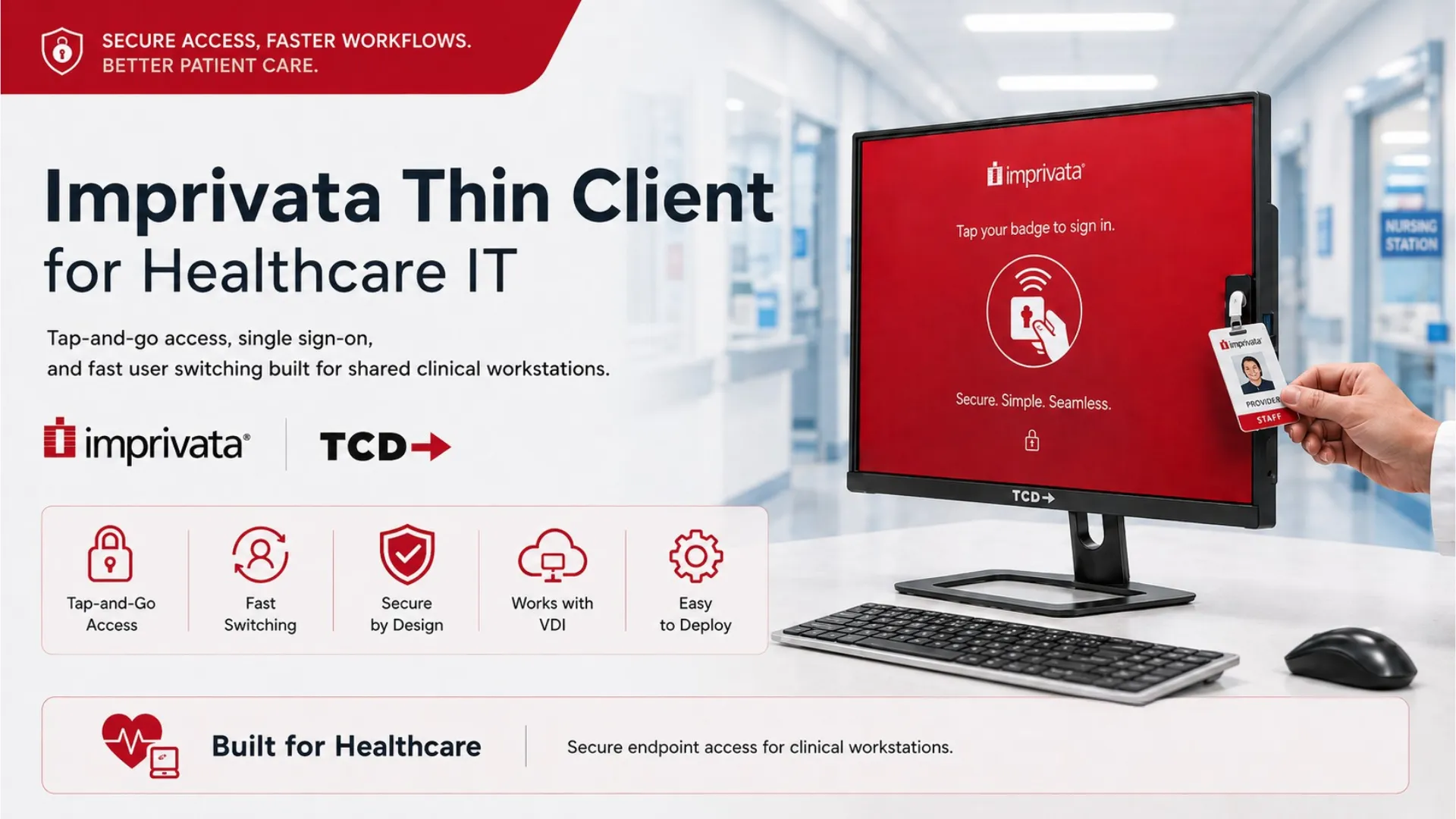
An Imprivata thin client is a centrally managed endpoint configured for badge-based authentication, single sign-on, and rapid access to virtual desktops or clinical applications. Combined with an endpoint OS such as Rangee OS, IGEL OS or Unicon eLux, it can simplify access to shared workstations. Reliable operation still depends on the compatibility of the endpoint OS, badge reader, Imprivata components, VDI client, applications, and licensing.
Unlike a traditional PC, a thin client is primarily designed to provide controlled access to applications and desktops hosted in a data center or cloud environment. Applications and sensitive information can remain within the centrally managed environment instead of depending on software and data stored locally on each workstation.
Healthcare organizations can use Imprivata thin clients to access:
- Electronic health record and EHR applications
- Citrix Virtual Apps and Desktops
- Citrix DaaS
- Omnissa Horizon, formerly VMware Horizon
- Microsoft Azure Virtual Desktop
- Windows 365 Cloud PCs
- Microsoft Remote Desktop Services
- Secure browser applications
- Patient registration and access systems
- Clinical communication and collaboration tools
For a broader explanation of endpoint architecture, see The Ultimate Thin Client Guide.
Validate Imprivata on Real Thin Client Hardware
Test badge-reader recognition, login performance, session reconnect, clinical peripherals, multi-monitor support, and VDI access using a TCD endpoint in your own environment.
Request a Free 45-Day Hardware Trial
Evaluate the device with your actual users, applications, readers, infrastructure, and authentication policies before purchasing.
Why Healthcare Organizations Use Thin Clients with Imprivata
Hospitals, clinics, urgent care centers, pharmacies, and specialty practices rarely operate like traditional offices. Workstations are frequently shared, clinicians move between locations, and access delays can disrupt time-sensitive workflows.
A typical clinical workflow may require a user to:
- Approach a shared workstation.
- Authenticate using a proximity badge or another approved method.
- Access an existing virtual desktop or clinical application session.
- Review or update patient information.
- Secure the session before leaving.
- Resume work from another authorized endpoint.
Imprivata Tap and Go provides a contactless authentication workflow. At the same time, Imprivata Enterprise Single Sign-On supports capabilities such as application single sign-on, session management, and fast user switching on shared workstations.
When the complete environment is configured correctly, this architecture can help reduce:
- Repeated manual credential entry
- Dependence on generic shared accounts
- Delays when users change at a workstation
- Password-related interruptions
- Inconsistent authentication behavior
- Unsecured sessions left open on shared devices
How Does Imprivata Optimize Thin Client Workflows?
Imprivata can improve shared thin client access by:
- Allowing users to authenticate with a proximity badge or another approved method
- Providing single sign-on to authorized clinical applications
- Supporting fast user switching at shared workstations
- Reducing the need for generic workstation logins
- Managing active authentication sessions across applications
- Helping clinicians move between authorized workstations with less repeated login friction
- Applying access behavior according to the organization’s authentication policies
The exact experience depends on the Imprivata product and licensing, authentication method, endpoint operating system, VDI platform, applications, and session configuration.
The Four Layers of an Imprivata Thin Client Architecture
A production-ready Imprivata thin client solution includes four interconnected layers: the endpoint hardware, the secure endpoint operating system, the Imprivata identity platform, and the workspace or application-delivery environment. A configuration problem at any layer can affect authentication, session launch, application SSO, fast user switching, or peripheral access.
1. TCD Thin Client Hardware
The physical endpoint must support the complete clinical workstation requirement. Hardware selection should account for processor and memory capacity, monitor count, network connectivity, available USB ports, mounting requirements, environmental conditions, and the complete peripheral set.
Typical connected devices may include:
- Proximity badge readers
- Smart-card readers and security keys
- Document and prescription scanners
- Standard and label printers
- Signature pads
- Dictation microphones
- USB headsets
- Webcams
- Touchscreen displays
- Multiple monitors
TCD offers compact, expandable, all-in-one, industrial, and TAA-oriented endpoints for different deployment profiles. Explore the complete TCD thin client hardware lineup.
2. Secure Endpoint Operating System
The endpoint OS controls how the device boots, authenticates, connects to hosted applications, receives policies, and interacts with local peripherals. Possible platforms include IGEL OS, Citrix Unicon eLux, Rangee OS, and other Linux or Windows IoT endpoint platforms where appropriate.
The endpoint-management platform should centrally control:
- Device profiles and configurations
- Imprivata settings
- Certificates
- VDI and application connections
- USB and peripheral policies
- Network settings
- Local access restrictions
- Client software versions
- Updates and maintenance windows
- Configuration rollback
TCD can help organizations compare thin client software and management options without forcing the deployment into a single operating system.
3. Imprivata Identity and Access
The identity layer may include Imprivata Enterprise Access Management, Authentication Management, Single Sign-On, Imprivata appliances, ProveID components, badge readers, certificates, authentication policies, APIs, endpoint integrations, VDI components, and product-specific licensing.
Compatibility should be verified against the current Imprivata supported-components documentation.
4. Workspace and Application Delivery
The endpoint must also work correctly with the selected workspace platform and clinical applications. Common environments include Citrix Virtual Apps and Desktops, Citrix DaaS, Omnissa Horizon, Azure Virtual Desktop, Windows 365, Remote Desktop Services, web-based clinical applications, and EHR systems.
Microsoft currently lists IGEL and Unicon among the partner thin client options for connecting to Azure Virtual Desktop. The customer’s exact endpoint model, OS build, client version, policies, image, and peripheral set must still be tested.
Rangee OS and Imprivata Thin Clients
A Rangee OS Imprivata thin client can provide a secure, centrally managed Linux endpoint layer for healthcare VDI and shared clinical workstation environments. Rangee OS is designed for remote and cloud desktop access, while its lightweight, hardware-independent architecture allows it to run on TCD thin clients and compatible x86 devices. Endpoints are centrally administered through the Rangee Thin Client Management Server, or TCMS.
Rangee OS supports remote workspace technologies including Citrix Workspace, Omnissa Horizon through Blast and PCoIP, Microsoft RDP and RDS, Dizzion or Nutanix Frame, and Amazon WorkSpaces. TCD also positions Rangee OS for controlled access to Citrix, Omnissa, Azure Virtual Desktop, Windows 365, and secure browser environments.
Through TCMS, healthcare IT teams can centrally deploy device profiles, group-based configurations, certificates, connection settings, software updates, and endpoint policies. Rangee OS 13 also adds Secure Boot support, remote device offboarding and configuration reset, non-persistent group configurations, and update staging. These capabilities can help healthcare organizations maintain a consistent and controlled endpoint configuration across nursing stations, exam rooms, registration areas, and other shared workspaces.
Rangee also offers its own RFID and smart-card authentication capabilities. Its documented RFID workflow can disconnect a remote desktop session when the token is removed and reconnect it when the token is presented again. This can support fast access to shared workstations, but Rangee RFID Login is a separate technology and should not be represented as an Imprivata integration.
A Rangee OS and Imprivata pilot should validate:
- TCD hardware support under the selected Rangee OS version
- Rangee OS and TCMS versions
- The supported Imprivata integration method and component versions
- Imprivata appliance connectivity
- Certificate deployment and trust-chain validation
- Badge-reader and smart-card-reader recognition
- Tap-in, tap-out, and fast-user-switching behavior
- Session launch, disconnect, reconnect, and roaming
- Citrix, Omnissa Horizon, AVD, Windows 365, or RDP client compatibility
- VDI virtual channels and authentication pass-through
- Clinical peripherals, USB policies, and multi-monitor operation
- Centralized configuration, updates, rollback, and logging
- Rangee OS, TCMS, VDI, and Imprivata licensing requirements
Rangee OS provides the secure endpoint, VDI connectivity, hardware flexibility, and centralized-management foundation. However, I could not locate a current public Rangee or Imprivata document confirming a native, generally supported Imprivata agent for Rangee OS. Organizations should therefore confirm support for the exact Rangee OS release, Imprivata components, badge reader, and VDI workflow with TCD, Rangee, and Imprivata before describing the solution as Imprivata compatible or moving it into production.
Learn more about Rangee OS for TCD thin clients and repurposed endpoints.
IGEL OS and Imprivata Thin Clients
An IGEL Imprivata thin client can support healthcare access workflows through the IGEL Agent for Imprivata.
Current IGEL documentation describes workflow options for authentication, fast user switching, kiosk deployments, Citrix sessions, Omnissa Horizon, Azure Virtual Desktop, Windows 365, and Microsoft RDP. The IGEL Agent for Imprivata configuration guide also covers appliance connectivity, workflow settings, agent configuration, and virtual channels.
An IGEL-based pilot should validate:
- TCD hardware support under the selected IGEL OS version
- IGEL Agent for Imprivata version
- Imprivata appliance connectivity
- Certificate deployment
- Badge-reader recognition
- Fast user switching
- VDI virtual-channel settings
- Session launch and reconnect
- Multi-monitor operation
- Logging and troubleshooting procedures
- Required IGEL and Imprivata licensing
Organizations should compare their hardware and firmware against the current IGEL Imprivata compatibility information and Imprivata’s supported-components guidance.
Citrix Unicon eLux and Imprivata Thin Clients
A Unicon eLux Imprivata thin client uses eLux as the endpoint operating system and Scout as the centralized management platform.
The current Citrix Unicon Imprivata implementation guide describes an architecture involving the Imprivata authentication environment, ProveID Web API access, Scout management, eLux packages, certificates, proximity-card support, Citrix virtual channels, fast user switching, and authentication failover.
An eLux pilot should validate:
- Supported eLux and Scout versions
- Required Imprivata eLux packages
- Proximity-reader support
- Fast-user-switching components
- ProveID Web API configuration
- Appliance certificates and the complete trust chain
- Citrix pass-through authentication
- Primary-site and failover-site connectivity
- Session launch and reconnect
- Reader recovery after a restart or disconnect
- Application and peripheral behavior
Learn more about TCD Unicon thin client endpoint hardware.
Which Endpoint OS Fits Your Imprivata Environment?
Review your VDI platform, Imprivata configuration, badge readers, clinical peripherals, monitor requirements, network design, and endpoint-management strategy with TCD.
Book a Free Infrastructure Consultation
Bring your current endpoint list, VDI platform, reader model, application requirements, and proposed deployment size.
Imprivata Thin Client Hardware Requirements
There is no single hardware specification that fits every healthcare workstation. The right endpoint depends on the application workload, VDI protocol, display requirement, peripheral mix, environmental conditions, and expected lifecycle.
Before selecting a device, determine:
- Whether the endpoint must decode multiple high-resolution displays or video workloads
- The memory required by the selected OS and local VDI clients
- Whether the station needs one, two, or three monitors
- How many local USB devices will be connected
- Whether wired Ethernet, Wi-Fi, dual NICs, or network segmentation are required
- The local storage required for the OS, logs, updates, and recovery
- Whether the endpoint will be desk-mounted, wall-mounted, or attached behind a monitor
- Whether a fanless design is preferred for noise, dust control, reliability, or maintenance
- The expected support lifecycle of the processor, OS, firmware, and VDI client
- The required warranty, spare-unit strategy, and replacement process
Candidate TCD Hardware Profiles
TCD 1 Series: A compact, fanless candidate for shared nursing stations, exam rooms, and other locations that require a small footprint and multi-display capability.
TCD AIO Series: An integrated endpoint and display that may reduce cabling and simplify registration desks, exam rooms, and space-constrained work areas.
TCD 2 Series: A candidate for peripheral-heavy workstations that require expanded modern or legacy connectivity.
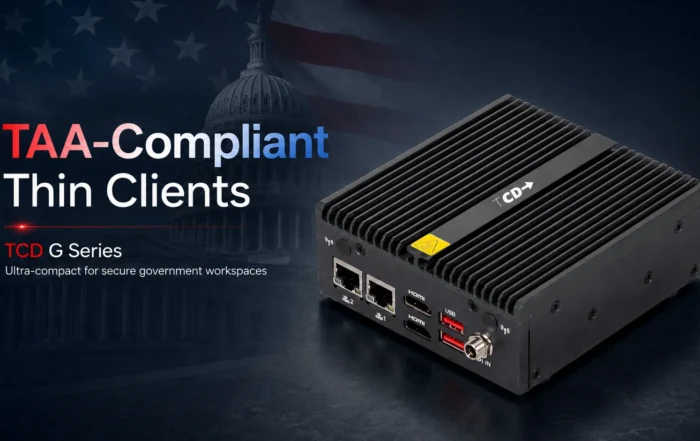
TCD G Series: A TAA-oriented option for regulated, government, and security-conscious deployments.
TCD i Series: A rugged, fanless platform for specialized environments requiring extensive connectivity and a durable enclosure.
These are candidate deployment profiles, not automatic Imprivata certification claims. The selected TCD model, endpoint OS, reader, Imprivata components, applications, and VDI environment must be tested together.
Healthcare Security and Compliance Considerations
Can an Imprivata Thin Client Support HIPAA Requirements?
No thin client is automatically “HIPAA compliant.”
The HIPAA Security Rule requires covered entities and business associates to implement appropriate administrative, physical, and technical safeguards for electronic protected health information.
A properly configured Imprivata thin client architecture can support a healthcare organization’s security program through:
- Named-user access
- Centrally controlled authentication policies
- Automatic session locking or disconnection
- Restricted local configuration access
- Controlled USB and peripheral policies
- Centralized certificate management
- Reduced dependence on locally installed applications
- Consistent workstation configurations
- Authentication and application audit trails
- Standardized update and lifecycle procedures
Compliance still depends on the organization’s risk analysis, workforce procedures, physical safeguards, network architecture, hosted applications, logging, incident response, and complete technology environment.
EPCS and Two-Factor Authentication
Electronic prescribing of controlled substances introduces additional identity and authentication requirements.
The U.S. Drug Enforcement Administration’s EPCS guidance requires qualifying practitioners to use two-factor authentication when signing electronic prescriptions for controlled substances.
Healthcare organizations evaluating EPCS workflows should verify:
- The approved authentication factors
- Identity-proofing requirements
- Credential issuance and lifecycle
- EHR application certification
- Imprivata product and workflow support
- Badge, PIN, token, or biometric configuration
- Signing workflow behavior
- Audit and record-retention requirements
- Applicable state requirements
A tap-and-go workstation login should not be assumed to satisfy the complete EPCS signing requirement. The EHR, identity system, credentials, and signing workflow must be reviewed together.
Imprivata Thin Client Deployment Checklist
Authentication Testing
- Badge enrollment and replacement
- Badge-reader recognition after boot
- Badge-to-login response
- PIN and password fallback
- Locked or disabled account behavior
- Tap-in and tap-out behavior
- Fast user switching
- Automatic lock and logout
- Authentication after a reader disconnect
- Authentication after an endpoint restart
Virtual Desktop and Application Testing
- First desktop launch
- Existing-session reconnect
- Session movement between authorized endpoints
- Citrix, Horizon, AVD, Windows 365, or RDP client behavior
- Application single sign-on
- EHR launch and authentication
- Browser application SSO
- Application timeout and reauthentication
- Session termination and cleanup
Peripheral Testing
- Proximity-card and smart-card readers
- Security keys
- Document and prescription scanners
- Standard and label printers
- Signature pads
- Dictation devices
- Headsets, webcams, and microphones
- Touchscreens
- Multiple monitors
Network, Resiliency, and Management Testing
- Cold boot without network access
- Delayed network availability
- Temporary network interruption
- Imprivata appliance unavailability
- Primary-site and failover-site behavior
- DNS and certificate validation
- Session recovery after a broker interruption
- Endpoint recovery after power loss
- Automated enrollment and profile delivery
- Certificate installation
- OS and client updates
- Configuration rollback
- Remote logging and diagnostic export
- Replacement-device provisioning
What TCD Tests in an Imprivata Thin Client Pilot
A useful pilot should document the complete configuration rather than recording only the device model.
The test record should include:
- TCD model and hardware configuration
- BIOS or firmware version
- Endpoint OS image and management-console version
- Imprivata appliance and component versions
- Badge-reader make and model
- VDI platform and client version
- EHR and application versions
- Display count and resolution
- Tested peripherals
- Cold-boot-to-ready time
- Badge-to-session time
- Fast-user-switching result
- Session reconnect result
- Network-interruption behavior
- Authentication failover result
- Update and rollback result
- Final pass, conditional pass, or fail status
Where possible, organizations should record median and 95th-percentile login measurements instead of relying on a single successful attempt.
TCD can assist with structured proof-of-concept and QA services for endpoint deployments.
Price an Imprivata Thin Client Rollout
Receive deployment-specific pricing based on your endpoint count, selected hardware, memory and storage configuration, OS licensing, management requirements, warranty, support, and rollout schedule.
Get a Custom Thin Client Price Quote
Pricing is available for pilot groups, departmental refreshes, and multi-location enterprise deployments.
Building an Imprivata Thin Client TCO Model
A responsible thin client cost comparison should include more than the endpoint purchase price. Organizations should calculate hardware, memory and storage, endpoint OS licensing, central management, Imprivata licensing, VDI or DaaS licensing, badge readers, peripherals, deployment labor, testing, support, maintenance, warranty coverage, spare devices, electricity use, replacement time, and the expected hardware lifecycle.
The thin client model should then be compared with the existing PC environment over the same evaluation period and using the same labor, support, energy, and lifecycle assumptions.
Potential savings should be supported by a documented methodology rather than a general percentage that may not apply to every environment.
Can the Same Architecture Support Banking and Call Centers?
Although Imprivata is strongly associated with healthcare access workflows, the same centrally managed thin client principles can also support banking, financial services, call centers, and other shared-workstation environments.
Banking and Financial Services
Potential financial-services use cases include centrally delivered banking applications, secure branch workstations, contact-center endpoints, restricted local storage, controlled USB access, certificate-based authentication, smart cards, security keys, standardized browser configurations, and rapid replacement of failed devices.
The PCI Data Security Standard establishes baseline technical and operational requirements for environments that store, process, or transmit payment account data. A thin client may reduce local endpoint complexity, but it does not make the organization PCI DSS compliant by itself.
Call Centers
Call centers and service desks can benefit from high-density seat sharing, named-user access, rapid shift changes, restricted local storage, centralized application delivery, consistent headset configurations, and fast replacement of failed workstations.
A call-center pilot should measure credential-to-desktop time, user-switching time, headset recognition, softphone registration, audio performance, multi-monitor recovery, authentication after network interruption, and the time required to provision a replacement device.
Organizations evaluating broader enterprise deployments can review TCD’s thin client solutions for regulated industries and enterprise VDI.
Why Work With ThinClient Direct?
ThinClient Direct is an endpoint-focused provider rather than a vendor tied to one operating system or VDI platform.
TCD can help organizations:
- Select hardware based on the actual workload
- Compare IGEL OS, Rangee OS, Unicon eLux, and other endpoint platforms
- Identify display, network, and peripheral requirements
- Build an Imprivata validation plan
- Test badge readers and clinical peripherals
- Evaluate Citrix, Omnissa Horizon, AVD, and Windows 365 access
- Plan pilots and phased rollouts
- Compare new hardware with desktop repurposing
- Develop spare-device and replacement strategies
- Review hardware, OS, management, and support costs
- Obtain deployment-specific pricing
- Evaluate hardware through a 45-day trial
The objective is not simply to deliver a device. It is to help the customer build an endpoint architecture that works with its identity platform, applications, infrastructure, users, and operational requirements.
Validate Your Imprivata Thin Client Architecture Before Scaling
An Imprivata thin client deployment should be evaluated as a complete architecture—not as an isolated hardware purchase. The endpoint model, OS build, authentication components, badge reader, VDI client, certificates, applications, peripherals, and session policies must work together under real operating conditions.
ThinClient Direct can help your team select a candidate endpoint, define a validation plan, and test the hardware in your own environment before a larger rollout.
- Request a free 45-day hardware trial to evaluate the device in your environment.
- Book a Free Infrastructure Consultation to review compatibility and architecture.
- Request a Custom Price Quote based on your configuration and endpoint count.
Technical validation notice: Product capabilities and compatibility can change by endpoint OS, Imprivata release, management platform, VDI client, endpoint model, badge reader, and configuration. Confirm current vendor-supported components and licensing, then complete a representative pilot before approving a production rollout.