 Skip to content

So, What is a Thin Client?
A Thin client is a device that relies on a central server to perform computing tasks, rather than storing its operating system and applications locally, as with traditional PCs. Thin clients come in various forms, including mini PCs, fanless PCs, mobile laptops, and All-in-one terminal devices. Depending on the manufacturer and use case, they can run Linux, Windows IoT, or other operating systems. Thin clients are also known as zero clients or terminal services. They are the opposite of a thick client, which has its own operating system and applications.
These devices offer numerous benefits, including desktop virtualization and remote desktop capabilities. They can simplify client computing by allowing users to access their workspace from any endpoint or mobile device. Popular thin client solutions include Rangee OS, IgelOS, Unicon eLux, and others. Organisations achieve cost-effective and centralised management of their hardware and software by utilising the in-client approach.
Thin client computing and thin client software are advantageous when local storage is unnecessary or undesirable. Instead of storing data on the endpoint device, it is stored on a remote server in the data center. This setup can improve security and efficiency for thin client technology organisations.
Thin Client Technology Endpoint Devices: Key Features
A key feature of thin client devices is their ability to provide secure access to virtual desktops through a centralized, server-based architecture. Whether deployed as a mobile thin client or an all-in-one workstation, the endpoint connects users to desktops, applications, and data hosted in the data center or cloud. Thin clients can run Microsoft Windows IoT or Linux-based operating systems and are typically more secure, energy-efficient, and easier to manage than traditional PCs. Their lower power consumption also supports sustainability goals while reducing long-term operating costs.
By connecting to a centralized server, thin clients can securely access their virtual machines, which contain the necessary software and data. The thin client connects to the server, allowing users to work efficiently while protecting their data. Thin clients are often recommended for businesses that handle sensitive data and require a more secure operating environment.
Are you looking to dive deeper into the world of thin client technology? Discover how these devices revolutionize secure, efficient computing in our Ultimate Thin Client Guide. Uncover everything from operating systems to green benefits, and see how thin clients can transform your business operations.
Thin Client Hardware, Software Vendors, and Specialists
Many vendors, including HP and Dell, produce thin client hardware. However, not all vendors are specialists. Larger companies often focus on a broad range of hardware products beyond thin clients.
Conversely, certain vendors specialize in thin client software and management tools, including Rangee, IGEL, and Unicon. Some vendors offer hardware and software solutions, but evaluating multiple options is important to find the best fit for your needs.
ThinClient Direct takes a unique approach by providing robust hardware and software while offering OS-agnostic management solutions. This ensures flexibility and compatibility across various platforms.
Benefits of Thin Client Technology
Thin Client Technology offers numerous benefits for organizations looking to streamline their IT infrastructure and improve security. Organizations can reduce the risk of security breaches by using a secure, read-only operating system, typically a lightweight OS such as a Linux-based system or a Lightweight version of Windows, like Windows IoT (formerly Windows Embedded). The Management Tool usually included makes it easy to manage these devices, with No Patch Management required. Thin clients also typically have Minimal Applications, making them purpose-built for cloud apps and desktops. Furthermore, they are Green and Energy Efficient, helping organizations reduce their carbon footprint.
Overall, the simple user experience offered by thin client technology makes it a valuable asset for organizations seeking a secure and efficient IT solution. Another key benefit of thin client technology is the cost savings it can provide for organizations. Thin clients are typically less expensive to purchase and maintain than traditional desktop computers because they require fewer hardware components and require less maintenance. Additionally, because all data is stored on a centralized server, thin clients can extend the lifespan of existing hardware by reducing the strain placed on individual desktops.
Thin client technology also offers scalability and flexibility for organizations. With a centralized infrastructure, it is easier to add or remove users as needed without significant hardware upgrades. This flexibility allows organizations to quickly adapt to changing business needs and growth without incurring high costs.
Overall, thin client technology offers a secure, cost-effective, and efficient IT solution for organizations looking to streamline their infrastructure and improve overall productivity. By leveraging its benefits, organizations can enhance security, reduce costs, and increase flexibility to meet the demands of today’s digital workplace.
Enhanced Security & Data Protection
Thin clients provide a secure operating system (OS) that enhances security and data protection. With a Read-Only OS, users can prevent unauthorized modifications to the system, reducing the risk of malware attacks and data breaches. In addition, thin clients come with a hardened OS designed to protect against cyber threats. Limiting the applications that can be installed and run on thin clients reduces the risk of introducing vulnerabilities. Companies can eliminate EDR endpoint protection solutions because endpoints are removed from the attack surface and all sensitive data is on the VM.
Cost Efficiency
Cost-efficient endpoints can provide significant cost savings compared to traditional desktops. By utilising cost-efficient endpoints, organizations can extend endpoint lifespans and reduce the need for frequent hardware upgrades. This translates to less IT overhead, as there is less work for IT departments to maintain and upgrade hardware. Additionally, cost-efficient endpoints can eliminate the need for patch management, complex tools, and endpoint security tools. By removing these tasks and tools, organizations can save hundreds of thousands of dollars in IT costs.
Scalability & Central Management Ease
Scalability is an essential aspect of any efficient business operation. Organizations can quickly adapt to growth and changing needs by utilising scalable central management tools without compromising efficiency. These centralized management tools are usually part of the solution, offering seamless integration for simple endpoint management. With zero-touch provisioning capabilities, deploying new devices and services becomes effortless, streamlining the process and reducing the risk of errors.
Use Cases for Thin Clients
Retail shops can benefit from using thin clients, which offer a cost-effective solution for providing access to inventory management systems and sales software without the need for individual computers at each checkout station. Thin clients also provide increased security by limiting access to sensitive data.
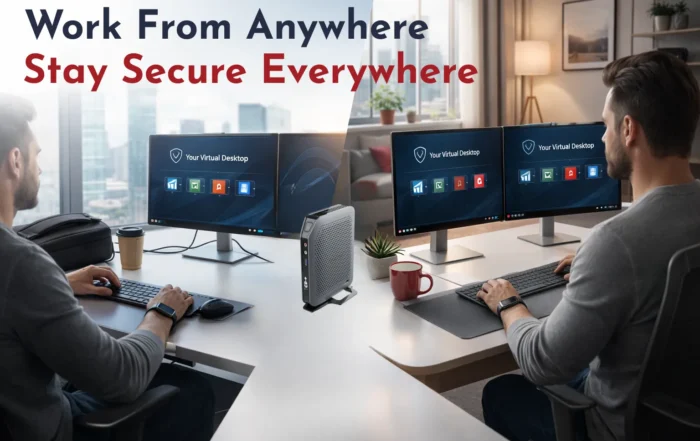
Work-from-home employees can easily connect to their company’s network using thin clients, allowing them to access files and applications just as they would in the office. This ensures productivity and efficiency while maintaining the organization’s security protocols.
Employees such as doctors and nurses can utilize thin clients to access patient records and medical software from different locations within a healthcare facility. This ensures they have the necessary information to provide the best care possible.
Computer labs, call centers, bank branches, and manufacturing facilities can also benefit from using thin clients to access shared resources and streamline operations. Thin clients offer a centralized management solution, making it easier to deploy updates and monitor activity across multiple locations.
Seamless Peripheral Integration
Thin Clients can provide users access to various peripherals, enhancing their overall computing experience. They can connect signature tablets, printers, scanners, multiple monitors, fingerprint readers, card readers, and touch screens, offering users flexibility and convenience in their work environments.
By incorporating these peripherals into thin client setups, users can efficiently perform tasks such as printing documents, scanning images, capturing digital signatures, and accessing secure systems through fingerprint or card authentication. Multiple monitors can also enhance productivity by allowing users to multitask more efficiently and view different applications simultaneously.
Furthermore, touch screens in thin client systems can provide a more intuitive, user-friendly interface, making tasks such as data entry and navigation more straightforward and efficient. Overall, integrating various peripherals into thin clients can significantly expand the capabilities and functionality of users’ computing devices.
Are you seeking a thin client offering unparalleled peripheral integration and high performance? Check out our 1 Series (001) Thin Client for compatibility, efficiency, and ease of use.
Application Compatibility Driven by OS and Cloud Workspace
Compatibility of specific applications with the operating system and Virtual Desktop Infrastructure (VDI) technology is crucial in determining the overall user experience. Organizations can ensure smooth functionality and user interaction by incorporating Application Support for popular tools such as Teams, Zoom, Webex, AuthX, Zscaler, and web browsers like Chromium and Firefox.
These applications rely on specific features and configurations within the operating system and Virtual Desktop Infrastructure to run efficiently. If these requirements are not met, incompatibility can arise, leading to performance problems and potential workflow disruptions. Therefore, it is essential for IT teams to carefully evaluate the compatibility of these applications with the chosen operating system and VDI technology to ensure a reliable and productive digital workspace for end users.
Optimal Resource Management for Client Terminals
While they may not use as many resources (memory, CPU/Processor, graphics processor/GPU, etc.) or have as many moving parts as their Thick Client counterparts, Thin Clients do use local resources as required by VDI clients such as the Citrix Workspace client or the Microsoft RDP client. In a Thin Client environment, the Thin Client device serves as a portal for accessing virtual desktops or applications hosted on servers in a data center. The Thin Client device itself does not have a traditional operating system installed. Still, it does use local resources such as processing power, memory, and network connectivity to connect to and interact with the virtual desktop.
When a user launches a VDI client on a Thin Client device, the client software uses local resources to render the desktop environment, transmit user input, and display output to and from the server hosting the virtual desktop. This requires processing power and memory on the Thin Client device to handle the communication and display tasks.
Additionally, Thin Clients may have local storage for caching or for storing user preferences and settings. While they typically do not store applications or user data locally, they may use local storage for temporary files or configuration settings.
In conclusion, what is a thin client?
Thin Clients use local resources to facilitate the connection and interaction with virtual desktops. Still, they are designed to be lightweight and more resource-efficient than traditional Thick Clients. Knowing the use case is vital to choosing options to deliver a smooth experience. What is certain is that Thin Clients bring significant benefits to any VDI or DaaS Cloud Computing infrastructure.