 Skip to content

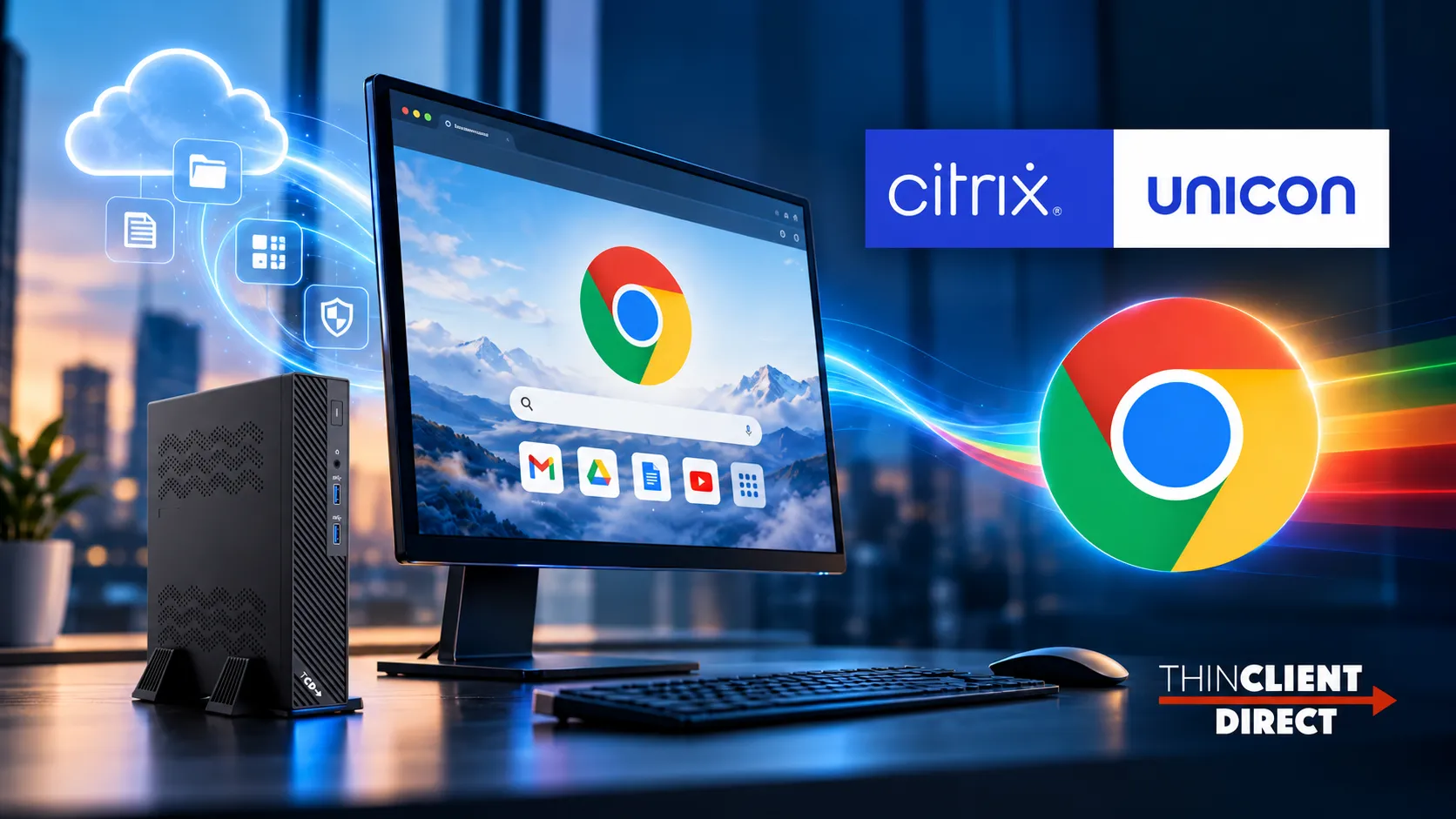
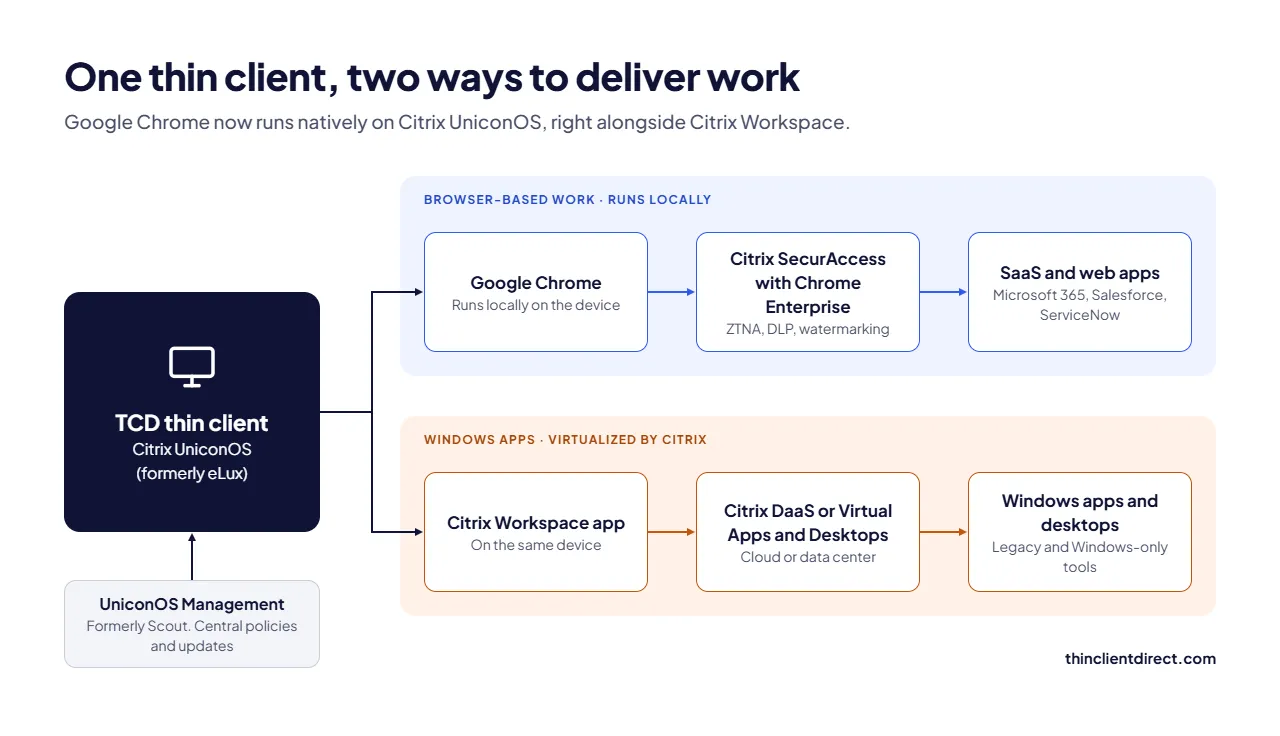
“Google Chrome now runs natively on Citrix UniconOS (formerly eLux)”, Citrix announced on October 15, 2026. That means browser-based work can run locally on a Linux thin client, with Citrix Workspace still handling the Windows apps that need virtualization. The catch: local Chrome puts real load on the endpoint, so your thin client hardware matters more than it did for a pure VDI session.
This guide covers what changed, who benefits, and how to size thin clients for Citrix UniconOS for local browser workloads.
Testing UniconOS with Chrome? Qualified organizations can request a free 45-day hardware evaluation on TCD devices in their own Citrix environment. No obligation.
What changed: Chrome runs natively on UniconOS
Until now, a UniconOS thin client was mainly an access device: it booted into Citrix Workspace and streamed apps and desktops. Employees who only needed Microsoft 365, Salesforce or ServiceNow still got a full virtual desktop, because that was the managed way to give them a browser.
According to Citrix’s announcement, Chrome is now available through the Citrix portal and runs natively on UniconOS, which Citrix describes as secure and immutable. One device can now deliver work two ways:
- SaaS and web apps run in Chrome directly on the thin client.
- Windows apps and desktops continue through Citrix Workspace, Citrix DaaS, or Citrix Virtual Apps and Desktops.
IT keeps central control through UniconOS Management (formerly Scout) and supported Chrome Enterprise policies and extensions.
You may already own the OS. The hardware is the missing piece.
Citrix includes UniconOS in its Universal Hybrid Multi-Cloud (UHMC) and Citrix Platform License (CPL) entitlements. Many Citrix customers already have the endpoint OS licensed and simply haven’t deployed it.
Secure browser features are a separate step. Zero trust and data protection controls require Citrix SecurAccess with Chrome Enterprise, configured with the right entitlements. Confirm licensing and supported versions with Citrix or your Citrix partner before rollout.
That leaves one open decision: what device each user should run it on. If you’re new to the platform, our overview of TCD thin clients for Citrix with UniconOS preloaded shows how devices register with UniconOS Management on first boot.
Enterprise browser security on a Linux thin client
Chrome alone gives users a familiar browser. With Citrix SecurAccess with Chrome Enterprise, users sign in to a managed Chrome profile, and IT can add:
- Zero trust network access (ZTNA) to private apps, without broad network access
- Real-time data loss prevention (DLP)
- Download and clipboard protection
- Dynamic watermarking on sensitive content
- Context-aware access controls based on identity and other signals
- AI security controls for generative AI tools
- Unified identity, policy enforcement, and single sign-on
These matter most in banking, healthcare, manufacturing, and the public sector, where every endpoint must meet the same security standard.
Which users can move off full VDI?
Not every user should change delivery model. Secure browsers reduce VDI; they don’t replace it. Windows-only apps still run through Citrix today, though that could change: we looked at whether Numecent could bring Windows apps to UniconOS endpoints. Start by grouping users by how they actually work.
|
User Profile |
Typical Apps |
Best Delivery Model |
Suggested TCD Hardware |
|---|---|---|---|
| Task worker/contact center | CRM, ticketing, web portals | Chrome on UniconOS; Citrix only for exceptions | TCD 1 Series |
| Knowledge worker | Microsoft 365, SaaS, Teams, some Windows apps | Chrome locally + Citrix published apps | TCD 1 or TCD 2 Series, 2 displays |
| Clinical/front desk | EHR, scheduling, check-in | Mix, depending on EHR delivery | TCD AIO Series |
| Shop floor/industrial | MES, web dashboards, legacy Windows tools | Citrix for legacy apps, Chrome for dashboards | TCD i Series |
| Specialist/power user | Windows-only, graphics-heavy or offline apps | Full Citrix desktop or a PC | Assess individually |
Windows PC vs full VDI vs UniconOS + Chrome
| Windows PC | Thin client + full VDI | Thin client + UniconOS + Chrome | |
|---|---|---|---|
| Where browser apps run | Locally | In the data center or cloud | Locally, on a hardened OS |
| Endpoint attack surface | Large | Small | Small, immutable OS |
| VDI host load for web apps | None | High | None |
| Windows-only apps | Local | Virtualized | Virtualized via Citrix |
| Endpoint management | Patching, imaging, AV | Central | Central via UniconOS Management |
| Local hardware demand | High | Low | Moderate |
The last row is the one most teams miss. For the full numbers on energy, lifespan, and support, see our thin client vs PC cost comparison.
How to size thin clients for local Chrome
A device that streams a Citrix session smoothly can struggle once Chrome runs locally. Tabs, Teams calls, and web apps all consume local CPU and memory. Use this as a starting point, then validate in a pilot.
| Workload | RAM | CPU Class | Displays |
|---|---|---|---|
| Citrix session only | [4–8 GB] | [Entry quad-core] | 1–2 |
| Light Chrome (a few tabs, web apps) | [8 GB] | [Quad-core, e.g., Intel N-series] | 1–2 |
| Heavy Chrome (many tabs, video calls) + Citrix | [16 GB] | [Higher-tier quad-core or better] | 2+ |
Also check webcam, headset, and audio compatibility; smart card and authentication peripherals; Wi-Fi performance; and UniconOS and Chrome version support for each model.
Not sure which configuration fits? Talk to a TCD specialist about your user mix, or start a 45-day evaluation and test real workloads before you buy.
TCD thin clients for Citrix UniconOS
| Series | Built For | Key Specs | Best For |
|---|---|---|---|
| TCD 1 Series | Compact, fanless office endpoint | [CPU/RAM/ports] | Mainstream browser and Citrix workloads |
| TCD 2 Series | Flexible connectivity and peripherals | [CPU/RAM/ports] | Multi-monitor, more peripherals |
| TCD i Series | Rugged, industrial | [CPU/RAM/ports/rating] | Manufacturing, warehouses, harsh sites |
| TCD AIO Series | All-in-one with built-in display | [Screen size/CPU/RAM] | Healthcare, education, reception |
| TCD G Series | TAA-compliant | [CPU/RAM/ports] | Government and regulated environments |
Repurpose existing PCs or buy new?
UniconOS runs on most x86 hardware, so repurposing PCs can make sense as a bridge. It works best for devices with remaining warranty and service life, and enough memory for local Chrome. Older PCs often draw more power, run louder, and fail sooner than purpose-built thin clients. TCD can assess your current fleet and tell you which devices to keep and which to replace.
Getting started
- Confirm your Citrix entitlements for UniconOS and SecurAccess with Chrome Enterprise.
- Segment users by workload using the profile table above.
- Pick candidate hardware for each segment.
- Pilot with representative users, including Teams, peripherals, and multi-monitor setups.
- Measure VDI host load and user experience before scaling.
FAQ
Sources: Citrix announcement, Oct 15, 2026 · Citrix UniconOS product page · Citrix docs: Chrome Enterprise Premium on UniconOS