 Skip to content

For many IT teams, changing endpoint hardware is relatively straightforward. Changing the operating system, management platform, and established administrative workflows at the same time can be considerably more disruptive.
That is why our latest test at ThinClient Direct was particularly encouraging.
We installed Dell ThinOS 10 on a TCD 1 Series endpoint. The device passed the built-in ThinOS Compatibility Checker, completed installation successfully, and delivered the familiar ThinOS desktop and configuration experience that many EUC administrators already know. This successful test gives organizations that value ThinOS and Wyse Management Suite another hardware option for their endpoint strategy.
The familiar operating environment can remain. The hardware decision no longer has to be automatic.
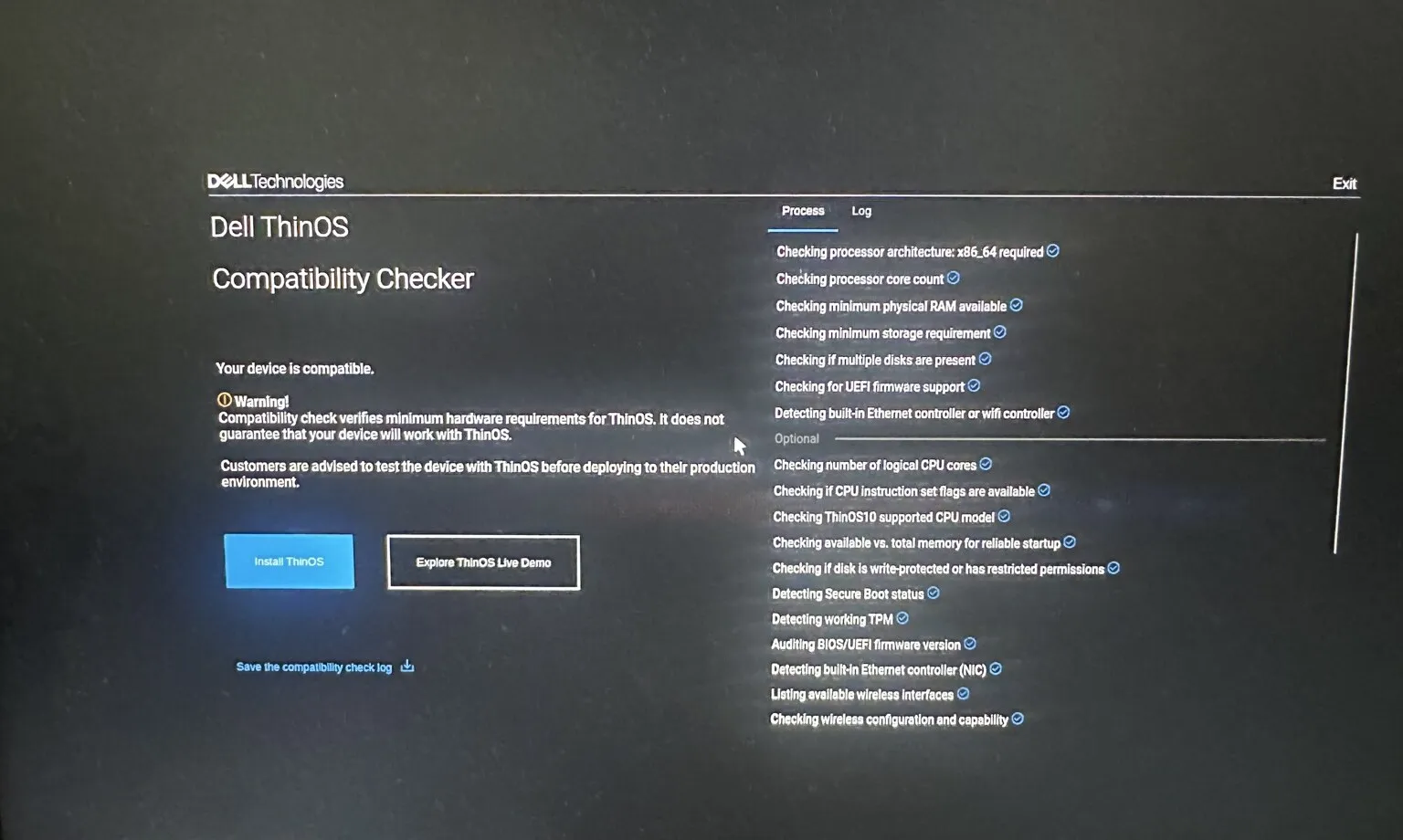 The TCD 1 Series passed the built-in Dell ThinOS Compatibility Checker
From Compatibility Check to a Working ThinOS Endpoint
We conducted the test using Dell ThinOS 10 version 2602 on a TCD 1 Series equipped with 8 GB of memory and 128 GB of storage. Before installation, the built-in compatibility checker evaluated the endpoint across hardware and firmware requirements that included:
- Processor architecture and core count
- Available memory and storage
- UEFI firmware, Secure Boot and TPM
- Ethernet, Wi-Fi and Bluetooth
- Graphics, audio and camera support
- USB controllers, keyboard, mouse and other HID
The checker’s result was clear: “Your device is compatible.” ThinOS then installed successfully and proceeded through its standard first-boot configuration. The process finished with another welcome message: “Success! Your device is ready.”
In our initial hands-on use, ThinOS operated smoothly and responsively on the TCD 1 Series. The familiar interface, settings, and broker-configuration options were present, creating an experience immediately recognizable to existing ThinOS administrators.
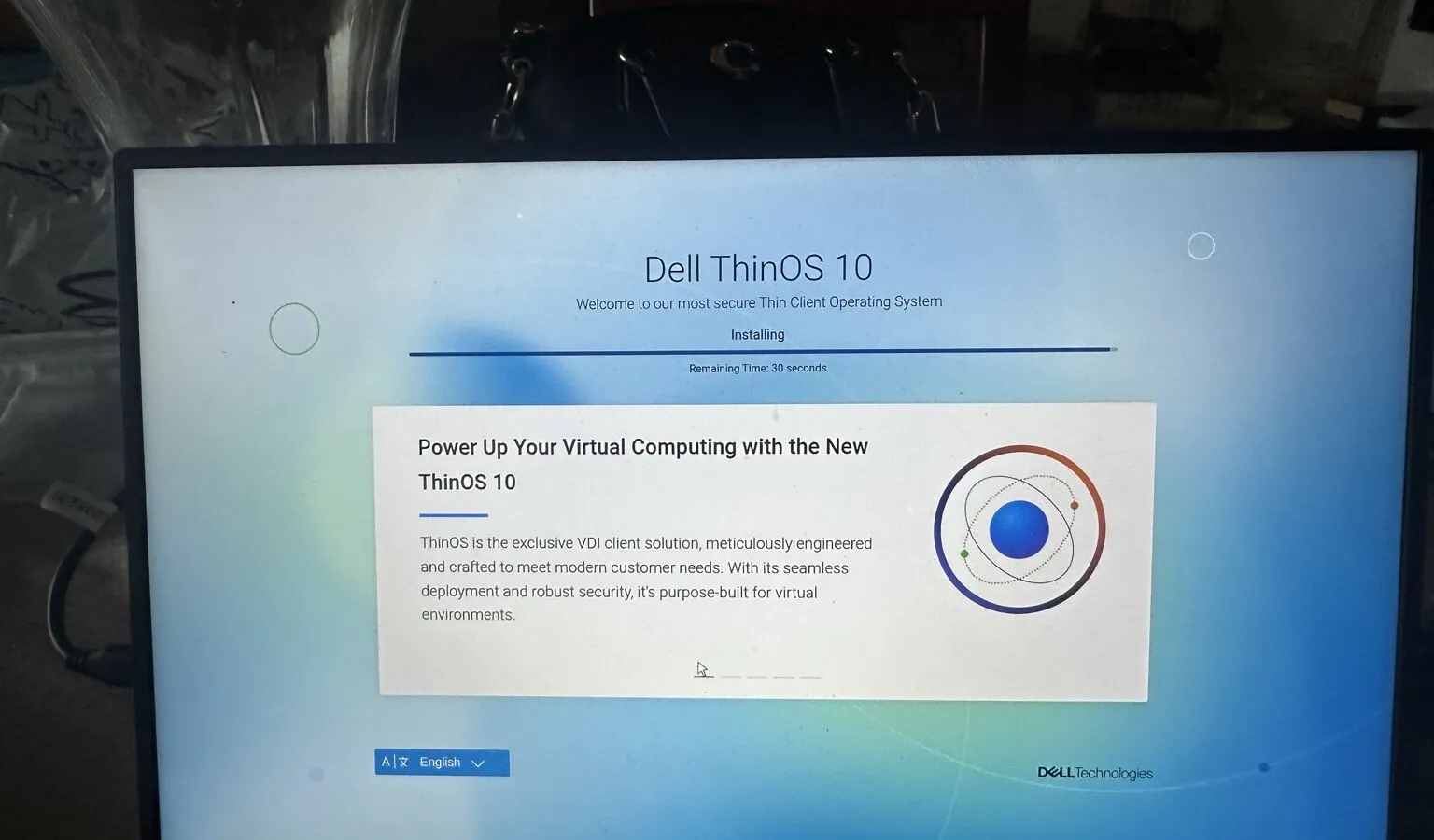 Dell ThinOS 10 is being installed on the TCD 1 Series
Familiar Software, More Hardware Choice
Organizations often stay with an existing endpoint vendor because changing platforms can add operational work. Administrators may need to learn a new console, recreate policies, and update deployment procedures. Support teams require new documentation, while users may encounter a different login experience.
Retaining ThinOS can reduce some of that disruption. For an organization already accustomed to ThinOS and Wyse Management Suite, the TCD 1 Series offers the option to evaluate another hardware option while retaining a familiar operating system and centralized management approach.
This can be particularly relevant when an organization is:
- Refreshing an aging thin-client fleet
- Expanding beyond the availability of an existing model
- Seeking a cost-effective endpoint or additional hardware configurations
- Standardizing acquisitions across multiple regions
- Evaluating alternatives before the next procurement cycle
It lets IT teams evaluate the thin client hardware, operating system, and management platform combination that best suits their environment.
Built for Today’s Virtual Workspaces
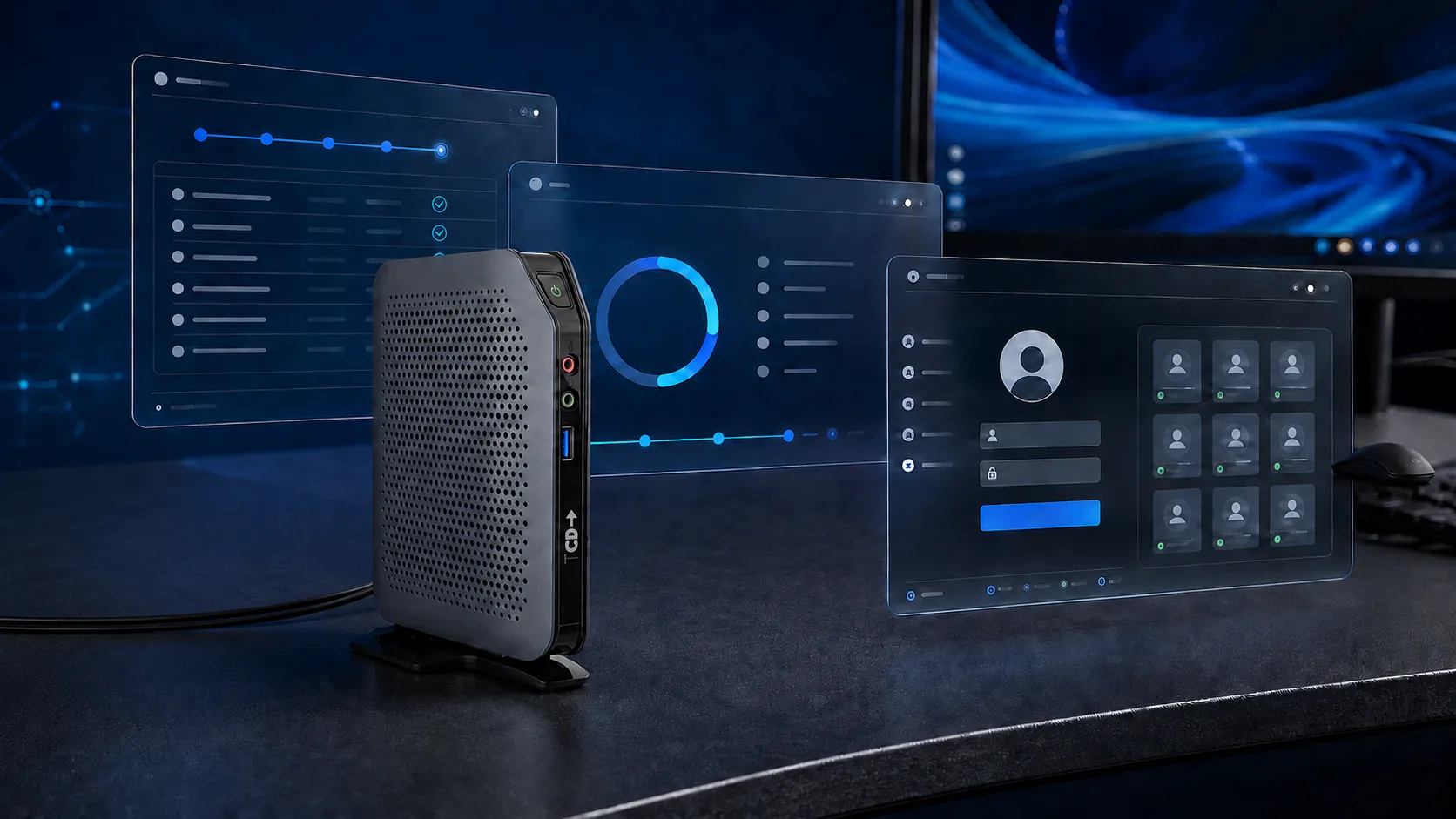
The TCD 1 Series is a compact, fanless endpoint designed for cloud, VDI, and secure workspace environments. Depending on configuration, it provides multiple display outputs, extensive USB connectivity, wired networking, and optional wireless connectivity in a compact form factor.
During our ThinOS test, the installed system displayed integrated clients for Citrix Workspace, Omnissa Horizon, and Microsoft Azure Virtual Desktop. The remote-connection configuration also presented authentication options for Imprivata and Identity Automation. This does not mean that every application, peripheral, or workflow should be assumed to work without validation. It does demonstrate that the TCD 1 Series can provide the ThinOS foundation organizations use to access modern virtual workspaces.
Together, the compatibility result, completed installation, and operational system screens confirmed that ThinOS 10 could run successfully on the tested TCD 1 Series configuration.
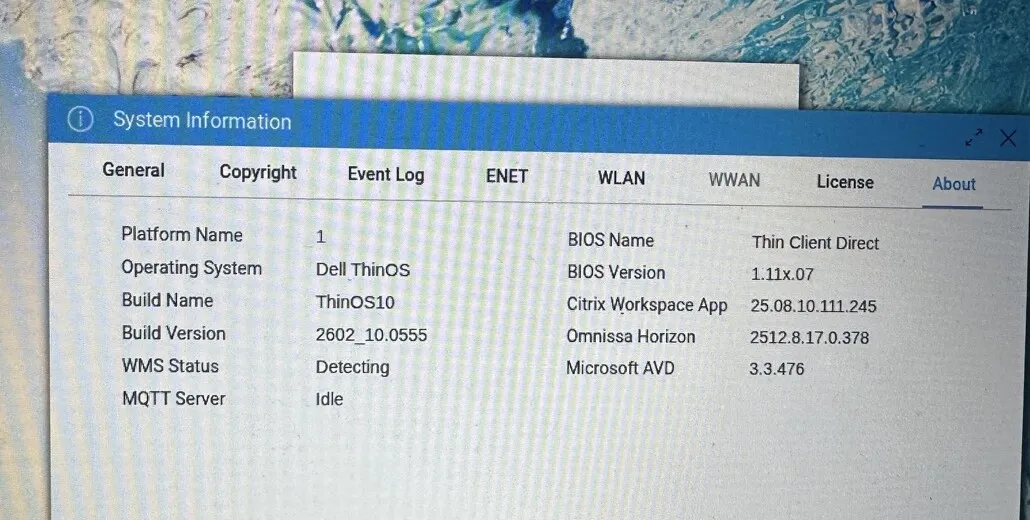 ThinOS identifies the TCD platform and the installed Citrix, Omnissa, and AVD clients
ThinOS Management Through Wyse Management Suite
During setup, ThinOS presented its standard remote-management enrollment workflow, including the option to connect the endpoint to Wyse Management Suite using a WMS server address and group key. This allows organizations familiar with the ThinOS management experience to evaluate it on TCD hardware.
ThinClient Direct can help customers plan the hardware, licensing, and proof-of-concept requirements for their environment.
Particularly Interesting for Healthcare
Retaining ThinOS may be especially valuable in healthcare, where endpoint changes can affect clinical authentication, shared workstations, roaming sessions, and specialized peripherals.
Our test environment displayed Imprivata as an available authentication option within the ThinOS remote-connection configuration. For healthcare organizations already familiar with ThinOS and Imprivata, the TCD 1 Series therefore deserves consideration as part of a controlled proof of concept. For more information on this particular section, explore our Imprivata thin client guide for fast and secure clinical access.
The emphasis must remain on the complete workflow—not simply confirming that the operating system boots. Validate badge readers, authentication, session roaming, clinical applications, displays, printers, scanners, audio devices, and other peripherals using the customer’s configuration.
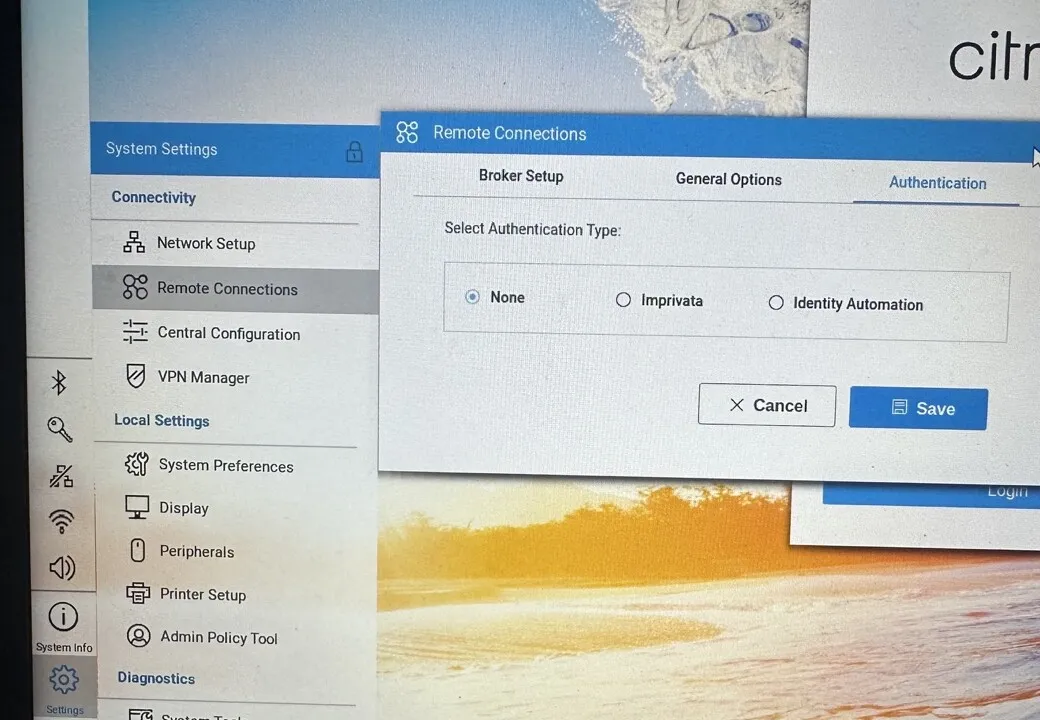 ThinOS remote-connection authentication options include Imprivata
From a Successful Test to a Customer Proof of Concept
Passing a compatibility check is an important first step, but it is not the same as completing a production proof of concept. Dell’s own checker warns that meeting minimum hardware requirements does not guarantee that every device or workflow will operate correctly. Customers should test ThinOS in their environment before deployment. We agree.
A proper evaluation should include:
- The intended Citrix, Omnissa or AVD environment
- Wyse Management Suite enrollment and policy delivery
- Required ThinOS third-party licensing
- Displays, resolutions and collaboration workloads
- Printers, scanners and specialized USB peripherals
- Wi-Fi, Ethernet, VPN, authentication and security integrations
- Shutdown, restart, update and recovery procedures
This is why ThinClient Direct offers a 45-day hardware evaluation. The purpose is not simply to confirm that a device powers on. It lets customers test the endpoint against the applications, peripherals, and operational requirements that matter in the real environment.
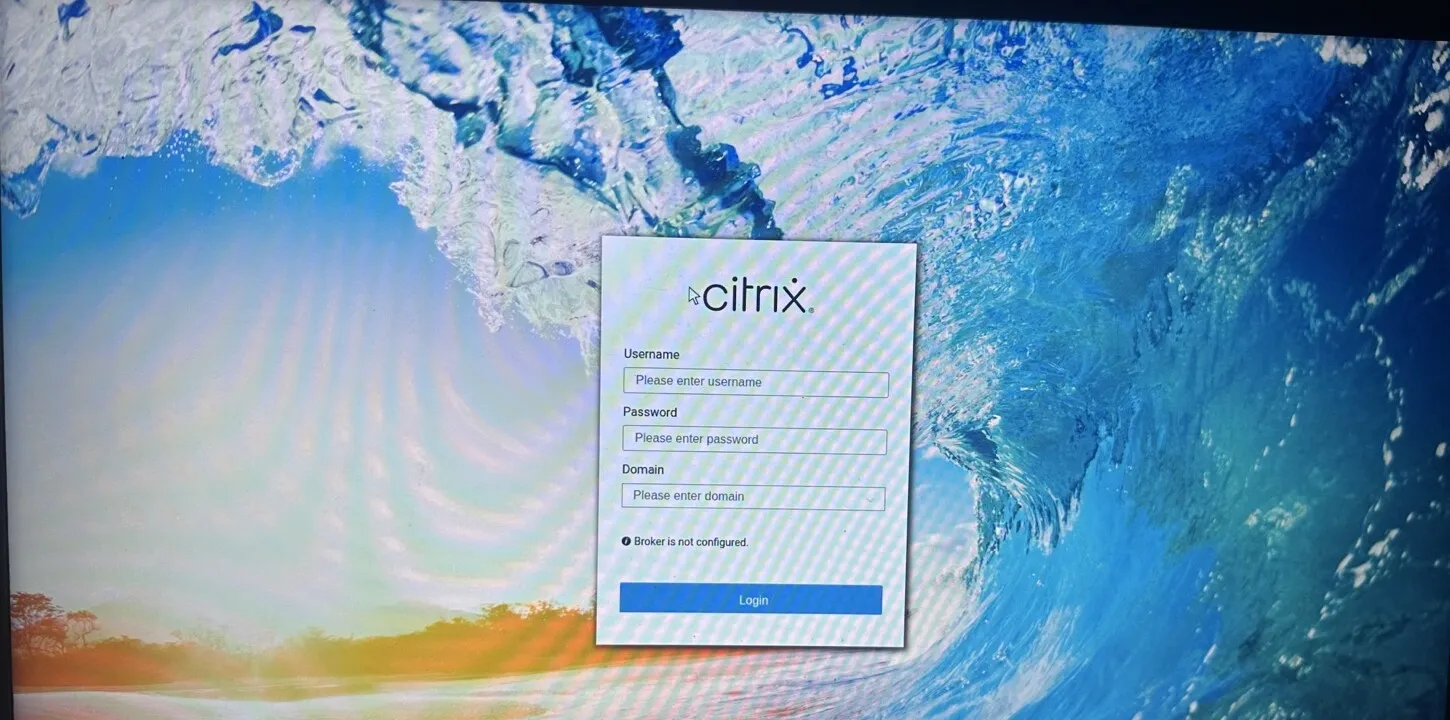 The familiar Citrix login experience presented through ThinOS on the TCD 1 Series
Keep the Familiar Experience—Reconsider the Hardware
Our test demonstrated that Dell ThinOS 10 could be installed and operated successfully on the TCD 1 Series. The device passed the ThinOS Compatibility Checker, completed installation, and exposed the expected configuration, management, broker, and authentication options.
For organizations already comfortable with ThinOS, this introduces a compelling possibility: retain the operating system and management experience your administrators know while evaluating a different endpoint hardware platform.
ThinClient Direct remains operating-system agnostic. We help customers evaluate ThinOS alongside Rangee OS, IGEL OS, Unicon eLux, Stratodesk NoTouch, Windows IoT and other endpoint platforms. The objective is to identify the right combination of hardware, operating system, management and support for each environment.
If you would like to test the TCD 1 Series with ThinOS, Citrix, Omnissa, Azure Virtual Desktop, Imprivata or another workspace platform, schedule a discussion with ThinClient Direct.
“A familiar endpoint experience may not require familiar hardware.”