Thin Client Use Cases: When Thin Clients Make Sense in Modern Enterprise IT
December 17, 2025
A thin client is not a legacy device, and it is not a downgrade from a PC or laptop. A thin client is an intentional endpoint choice used by organizations that prioritize security, control, and predictable performance. Across healthcare, finance, education, manufacturing, and government, thin client deployments remain a core part of modern endpoint strategies.
This article focuses on practical thin client use cases. It explains what a thin client is, how thin client computing works, and where thin client endpoints deliver clear advantages over traditional desktops, laptops, and thick client systems. If you are evaluating endpoint architecture, VDI, or centralized compute, this guide explains when and why a thin client is the right decision.

Table of Contents
ToggleSo, What Exactly Is a Thin Client?
A thin client is an endpoint device that relies on a central server for computing rather than running applications locally, offering a streamlined experience for end users. Instead of installing software and storing data on the endpoint, a thin client connects to centralized virtual desktops hosted in a data center or cloud environment.
Thin clients typically run a lightweight operating system designed to handle connectivity, authentication, and display, which is essential for effective terminal use. The endpoint device itself has minimal local storage and limited processing requirements, characteristic of modern thin clients. This design reduces risk, simplifies management, and makes the desktop environment easier to control at scale. For a deeper, end-to-end explanation of thin client architecture, operating systems, and deployment models, you can explore the definitive thin client resource for 2025 and beyond.
Since the introduction of thin clients, organizations have used them to centralize software and data, reduce endpoint sprawl, and simplify desktop operations.
Thin Client vs Zero Client vs Thick Client
A thin client sits between two other endpoint models: the zero client and the thick client.
A zero client has no traditional operating system and connects directly to a central server using firmware-level protocols. While secure, zero client environments can be rigid and difficult to adapt to as requirements change.
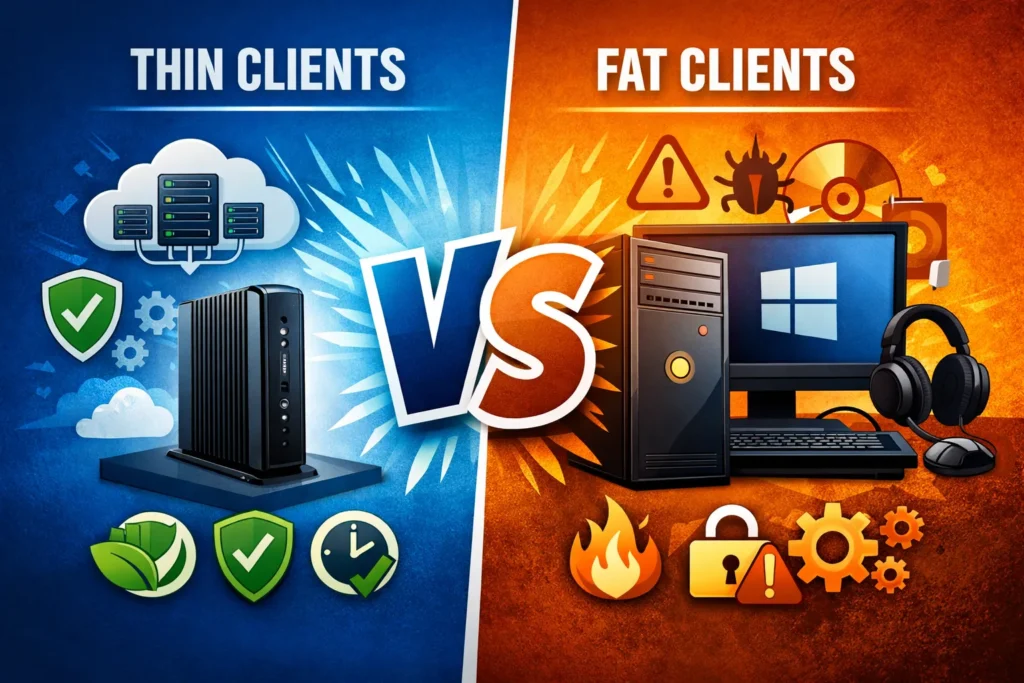
A thick client behaves like a traditional desktop or workstation, while a thin client device relies on a central server for processing. Applications run locally, data is stored locally, and processing power depends on the endpoint hardware, but in a thin client environment, these functions are centralized.
A thin client provides a balance between these two extremes. It includes a minimal operating system and client software while still relying on centralized compute. In most real-world environments, thin and thick clients coexist, each serving different user roles.
How Thin Clients Work in a VDI Environment
Thin clients work by connecting to a VDI environment where desktops and applications run on a central server. The thin client endpoint renders the desktop display and captures keyboard and mouse input, while computing happens centrally.
This model allows IT teams to scale resources efficiently. Instead of upgrading every endpoint device, administrators adjust server-side compute and virtual desktop capacity. Updates, patches, and application changes happen once at the server layer.
In a properly designed VDI environment, thin clients deliver a consistent desktop experience while reducing endpoint complexity and long-term operational overhead.
Thin Client OS and Endpoint Security
Every thin client runs a specialized operating system. A thin client operating system is designed to be secure, stable, and centrally managed.
Unlike complete desktop operating systems, a thin client OS removes unnecessary services and locks down local configuration. This reduces the attack surface and limits what can execute on endpoint devices, particularly in environments that use Dell thin client solutions. By limiting local execution and reducing exposed services, thin client endpoints align closely with modern security principles that understand endpoint security fundamentals and protections in modern enterprise environments.
Centralized management tools allow IT teams to centrally manage policies, updates, and configurations across all thin client endpoints, ensuring consistency and simplifying compliance.
Thin Client Use Case: Call Centers and Customer Support
Call centers are among the most common thin client use cases. Agents typically use the same applications, the same desktop image, and fixed workstations. Thin clients work well here because processing requirements are predictable and local storage is unnecessary. If a thin client endpoint fails, it can be replaced immediately without reimaging or data loss.
This environment highlights how thin clients streamline onboarding, hot desking, and shift-based work while maintaining centralized control and a consistent user experience.
Thin Client Use Case: Healthcare and Clinical Workstations
Healthcare environments demand fast access, high availability, and strong data protection. Thin clients are commonly used at nurses’ stations, exam rooms, and shared clinical workspaces.
In this use case, thin clients rely on a central server hosting electronic medical record systems, often integrated with Citrix for optimal performance. No patient data is stored locally on the endpoint device, reducing compliance risk.
Clinicians benefit from roaming desktops, fast logins, and consistent access regardless of location. Compared to laptops and traditional desktops, thin clients reduce endpoint risk while improving workflow efficiency. To see how these principles apply in real clinical environments, including nurses’ stations and shared workspaces, see why thin clients are transforming healthcare IT workflows.
Thin Client Use Case: Financial Services and Regulated Industries
Banks and regulated organizations use thin clients to enforce strict security and compliance requirements, often utilizing Citrix solutions for enhanced management. Keeping software and data centralized reduces the risk of data leakage and unauthorized access.
A thin client operating environment limits local execution and storage, making endpoints easier to secure and audit. Centralized management ensures consistent configuration across all desktops.
Compared to traditional desktop computers, thin clients provide stronger control and simpler compliance reporting in regulated environments.
Thin Client Use Case: Education and Computer Labs
Thin clients in computer labs remain a proven and practical deployment model. Schools and universities use thin clients to provide consistent desktops while minimizing maintenance.
Students access desktops hosted on a central server, enabling instructors and IT teams to quickly reset environments between sessions. Software updates are applied centrally rather than device by device.
This use case demonstrates how thin clients reduce support overhead and extend hardware lifecycles compared to managing full desktop computers.
Thin Client Use Case: Manufacturing and Industrial Environments
Manufacturing floors and warehouses value reliability and uptime over raw compute. Thin clients function as terminal-style endpoints connected to inventory systems, ERP platforms, and production dashboards.
Because thin clients rely on centralized computing, they are less affected by heat, dust, and vibration. With limited local storage and fewer moving parts, thin clients outperform traditional desktops in harsh environments.
This use case demonstrates how thin client endpoints deliver durability, predictability, and centralized control in industrial settings.
Repurposing PCs and Laptops with a Thin Client Operating System
Not every thin client deployment requires new hardware. In many environments, existing PCs and laptops can be repurposed by installing a thin client operating system.
These devices may not be fanless, as energy efficient, or as quiet as purpose-built thin clients. They may emit more heat and consume more power than thin client devices, which are designed for energy efficiency. However, once repurposed, they still deliver most of the core benefits of a thin client endpoint.
Local applications, storage, and unnecessary services are removed, and the device becomes an access point to centralized desktops running on a central server.
Compute shifts away from the endpoint and into a VDI or centralized desktop environment.
In many cases, organizations can extend the life of aging hardware by converting PCs and laptops into thin clients. Even devices that struggle to function as full desktops often perform well once processing demands are reduced. This approach is beneficial for cost-conscious deployments, transition phases, or delayed hardware refresh cycles.
The thin client model is defined more by where compute and control live than by the physical device itself.
Thin Client Solutions vs Laptops and Traditional PCs. What to Give The End User?
Laptops remain essential for mobile users and roles that require offline access, but modern thin clients offer a more secure alternative for many tasks. Traditional PCs still serve users who need local processing power. For organizations weighing endpoint trade-offs, it is often helpful to compare thin clients with traditional PCs to gain insights into cost, energy use, and lifespan.
Thin client solutions excel in fixed-location, shared, or task-based roles where centralized control, security, and consistency matter more than device autonomy, making them ideal for end users in many sectors.
Most enterprises deploy a mix of thin clients, repurposed PCs, and laptops. Matching the endpoint to the role is what delivers the best results.
Enterprise Thin Client Hardware and Platform Support
Enterprise thin client hardware is purpose-built for centralized desktop delivery. Vendors offer devices designed for long lifecycles, predictable performance, and centralized management.
These thin client endpoints integrate with Microsoft platforms and Citrix-based environments, enabling flexible virtual desktop infrastructure deployments across on-premises and cloud environments.
Selecting the proper thin client hardware depends on management tools, protocol support, lifecycle expectations, and alignment with overall endpoint strategy.
Thin Client FAQs: Benefits of a Thin Client. Streamline Productivity, Security, and Scalability
A common concern is whether thin clients reduce productivity. In practice, productivity depends on backend design.
With appropriately sized servers and optimized virtual desktops, thin clients deliver a responsive and consistent user experience.
Security improves because software and data remain centralized. Scalability becomes predictable because adding users means scaling virtual desktops rather than managing individual endpoint devices.
Thin client technology remains relevant because it solves real operational challenges rather than following endpoint trends.
Key Takeaways on Thin Client Use Cases. When?
- A thin client centralizes software and data for stronger security.
- Thin clients work best in standardized, fixed-location environments.
- VDI and centralized compute are core to thin client success
- Thin client operating systems reduce endpoint risk and complexity.
- PCs and laptops can be repurposed into thin clients to extend hardware life.
- Thin clients streamline deployment and endpoint management.
- Laptops and thick clients still serve mobile and power users.
- Thin and thick clients coexist in modern enterprises, with thin clients offering streamlined access to centralized resources.
Thin clients are not about replacing every PC or laptop. They are about putting the right endpoint in the right place, based on risk, workload, and operational reality.
If your team is evaluating thin clients, VDI, or endpoint modernization and wants a practical, no-sales discussion around what actually makes sense in your environment, you can schedule a short conversation with our team here.